2023.08.30.
Teremnavigáció
Caesar azonosítóval rendelkező egyetemi polgárok számára ► bis.elte.hu
For university members with a Caesar ID ► bis.elte.hu
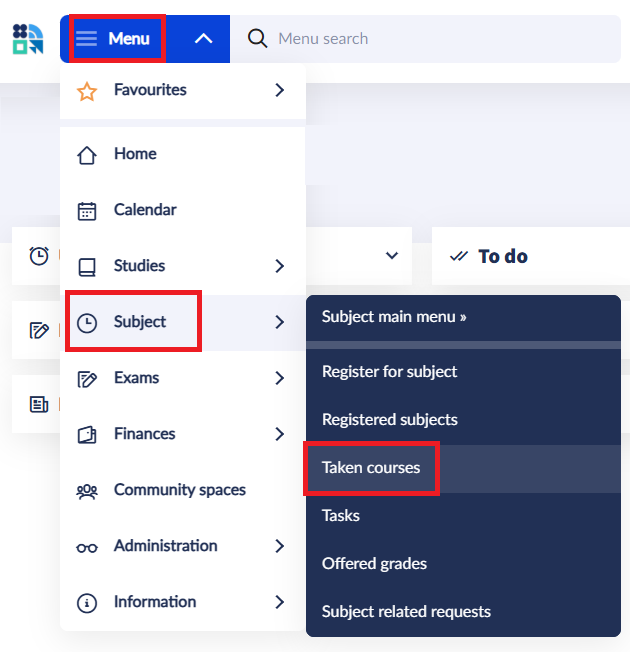
How to use the room information available in Neptun?
- Click on the 'Details' of the taken course in Neptun and scroll down to 'Class schedule info'.
- You will find both the time and the room information there, e.g.: "W:12:30-14:00(D ép. alagsor 114/a) "
- The first letter stands for the day of the week: (M = Monday; TU = Tuesday; W = Wednesday; TH = Thursday; F = Friday)
- The time slot indicates when the class takes place. If you've signed up for a double class that takes place twice a week, two time slots will be given (For example "M 12:00 - 13:30; W 08:00 - 09:30" would mean, that the first session of your double course is on Monday from 12:00 to 13:30, and the second session is on Wednesday from 08:00 to 09:30).
- Épület (abbreviation: "ép") means "building" in Hungarian. "D ép" means, that your course is located at Building D at the Trefort campus (1088. Budapest Múzeum körút 4.).
- Floor:
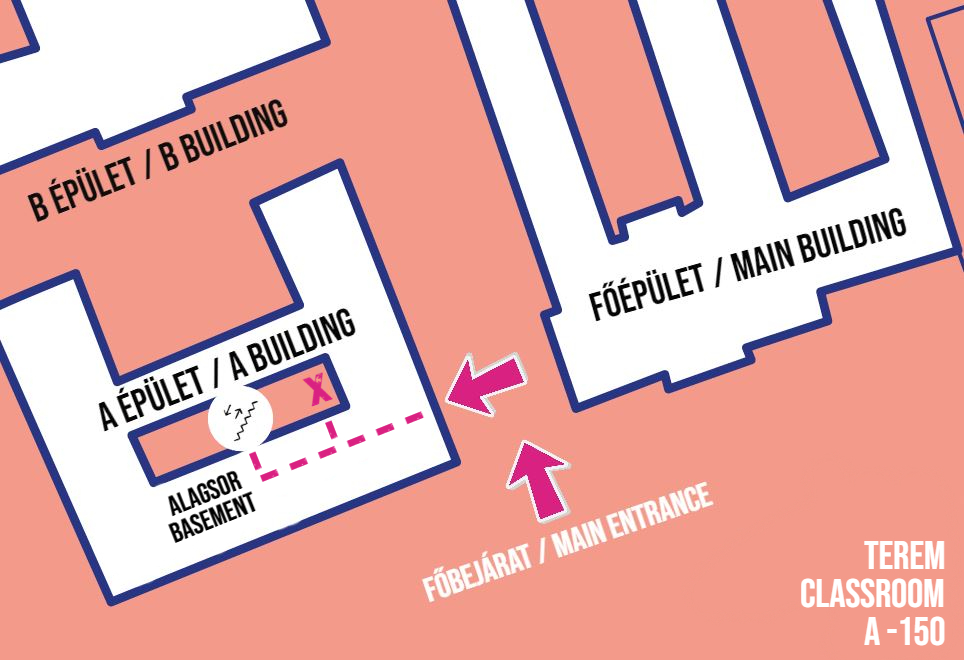
- alagsor = basement (If you see a minus sign before the room number, this also means that the room is in the basement.);
- földszint (abbreviation: fsz.) = ground floor;
- emelet (abbreviation: em.) = floor (e.g. "1. em." = 1st floor)
- At the end of the 'Class schedule info', you'll most often find a room number (e.g. 114/a). In some cases, the room has its own name, and that will appear in the description instead of a number.
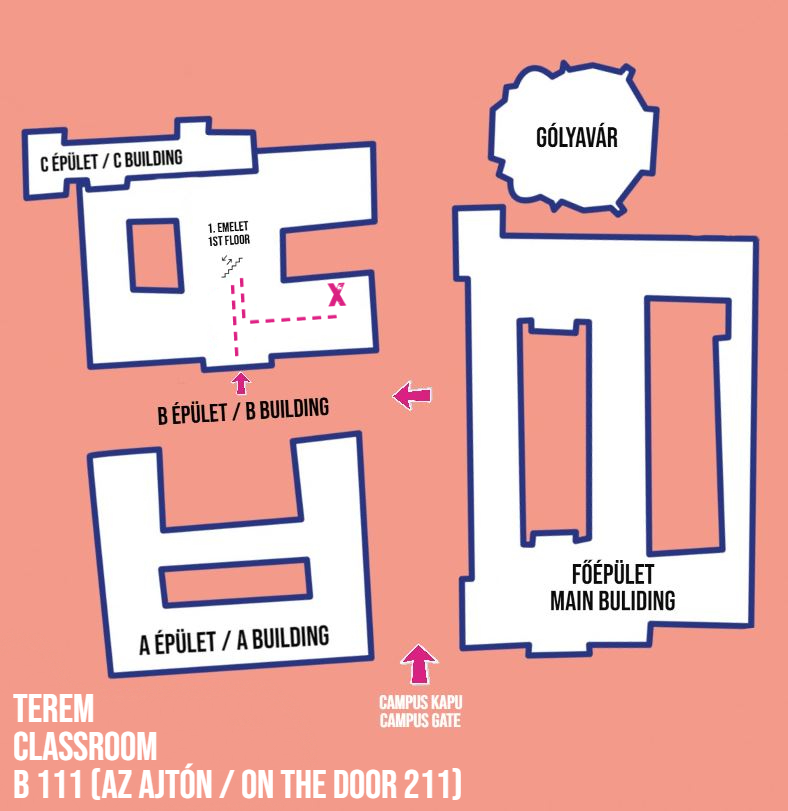
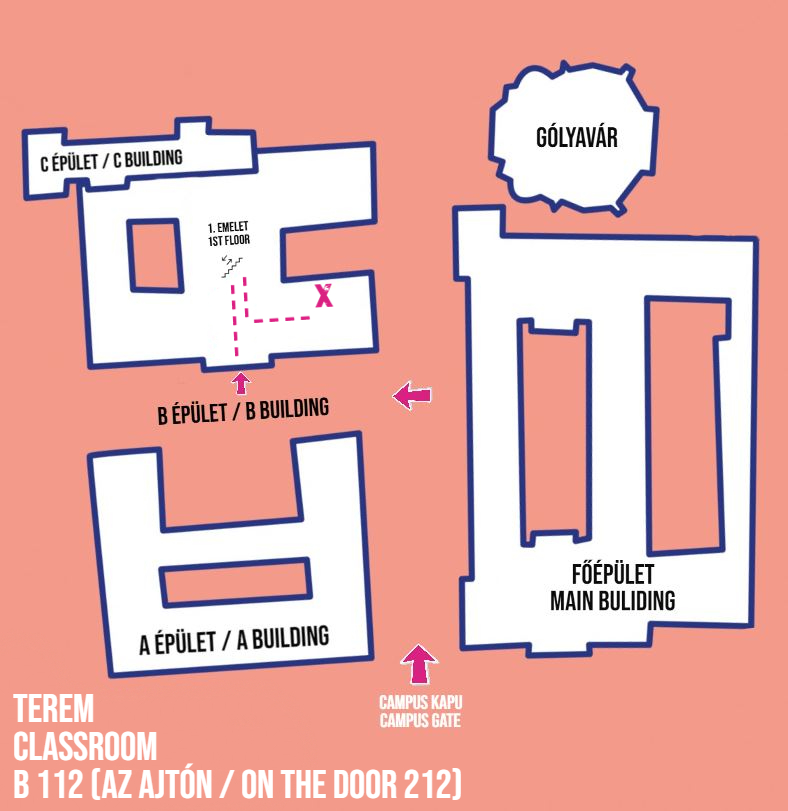
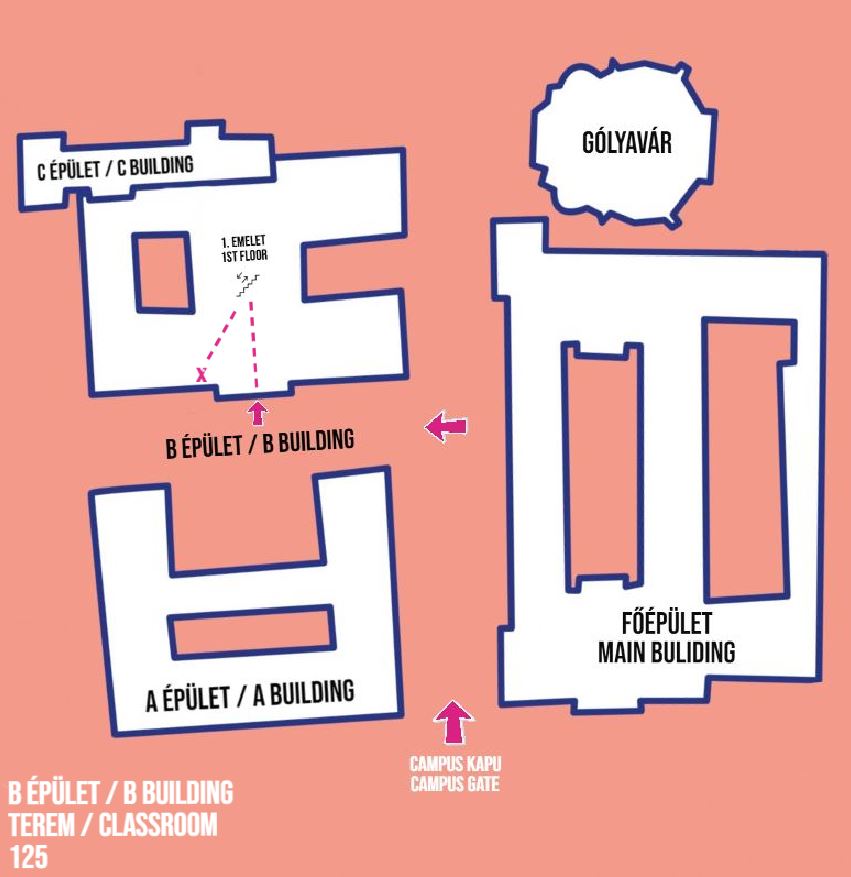
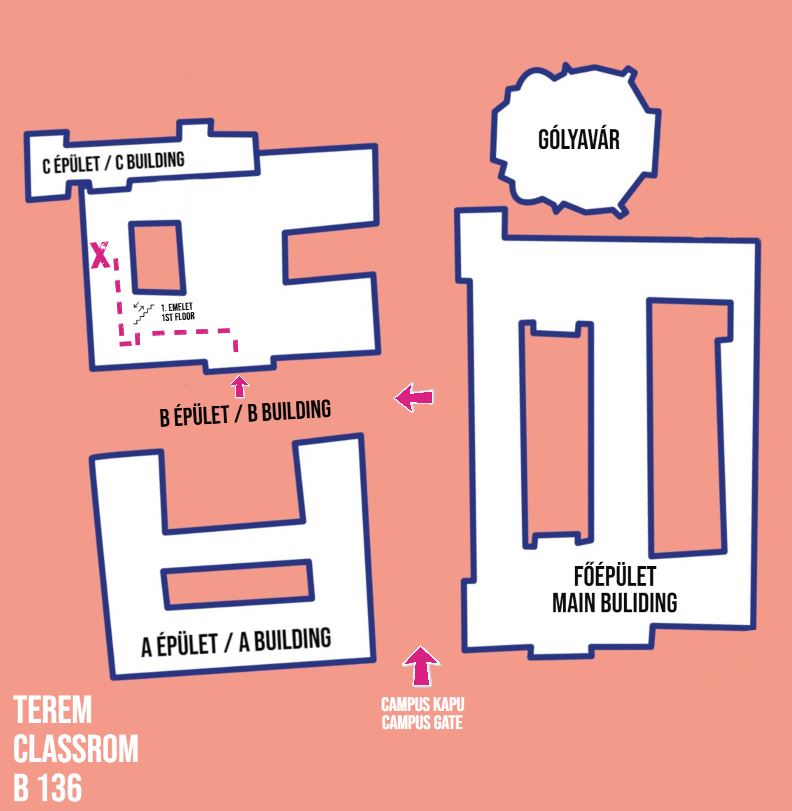
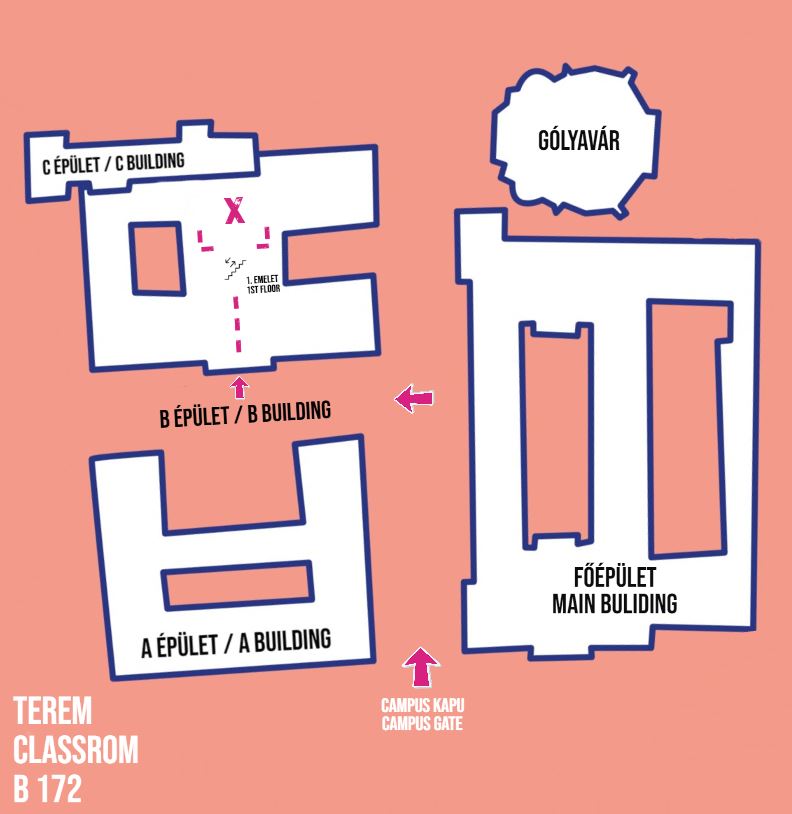
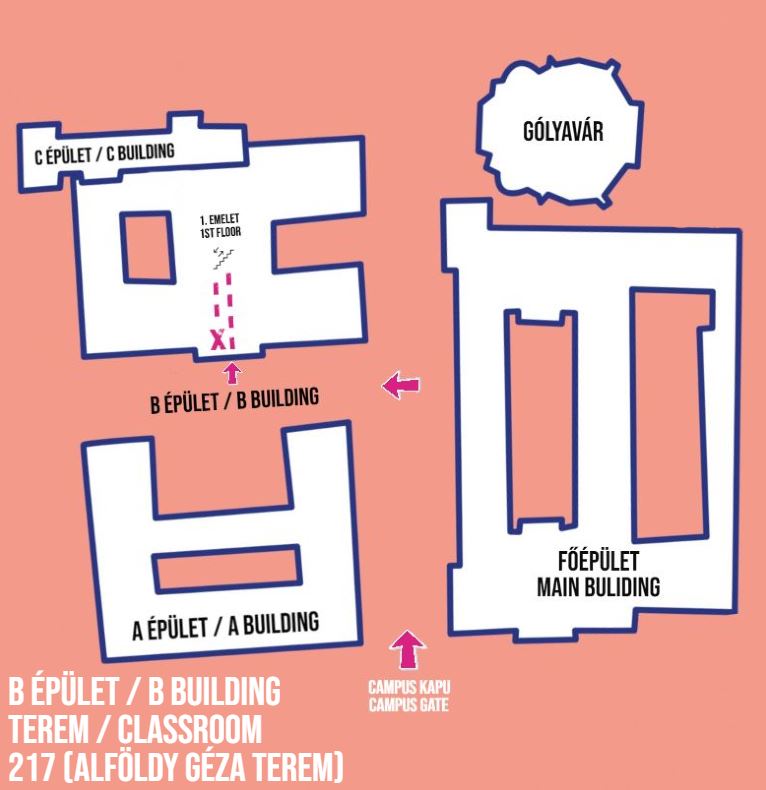
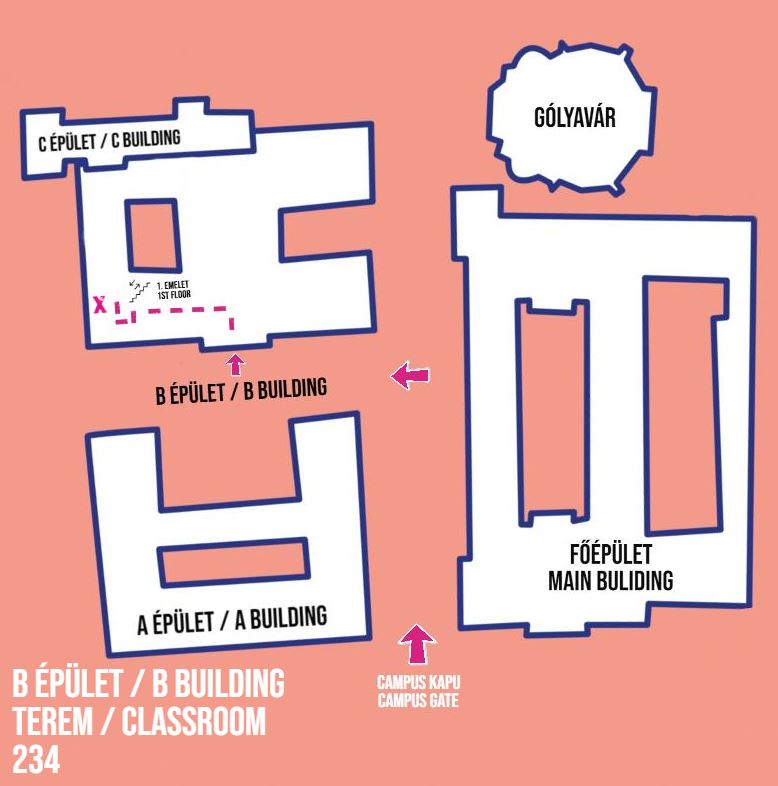
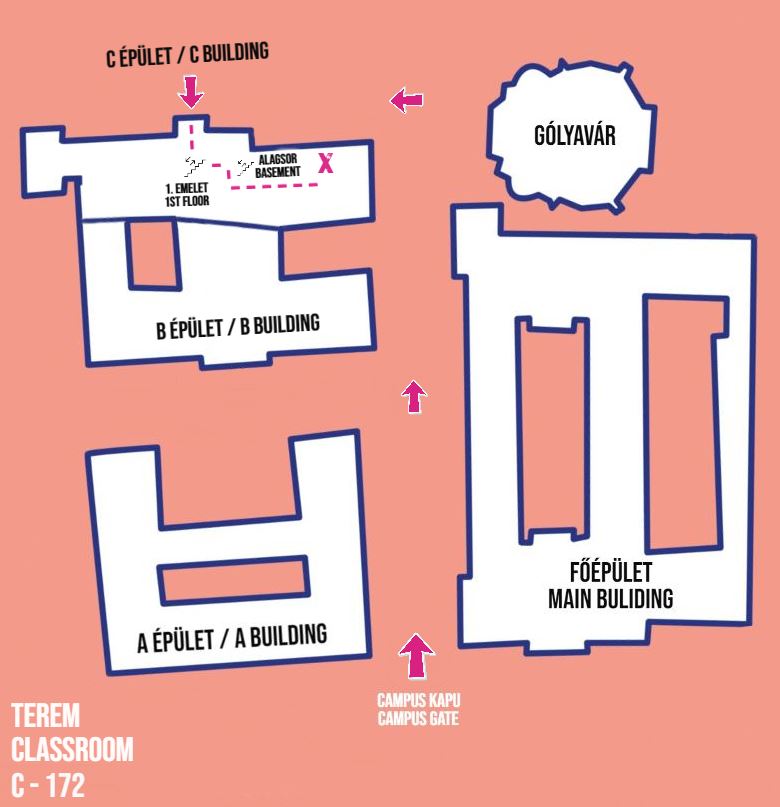
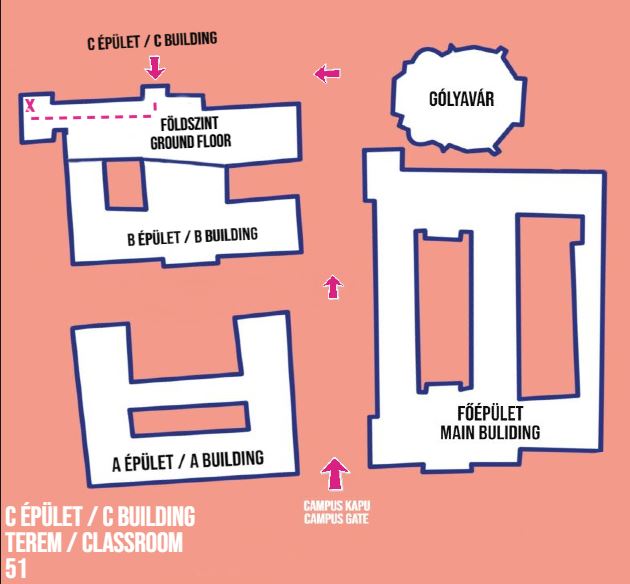
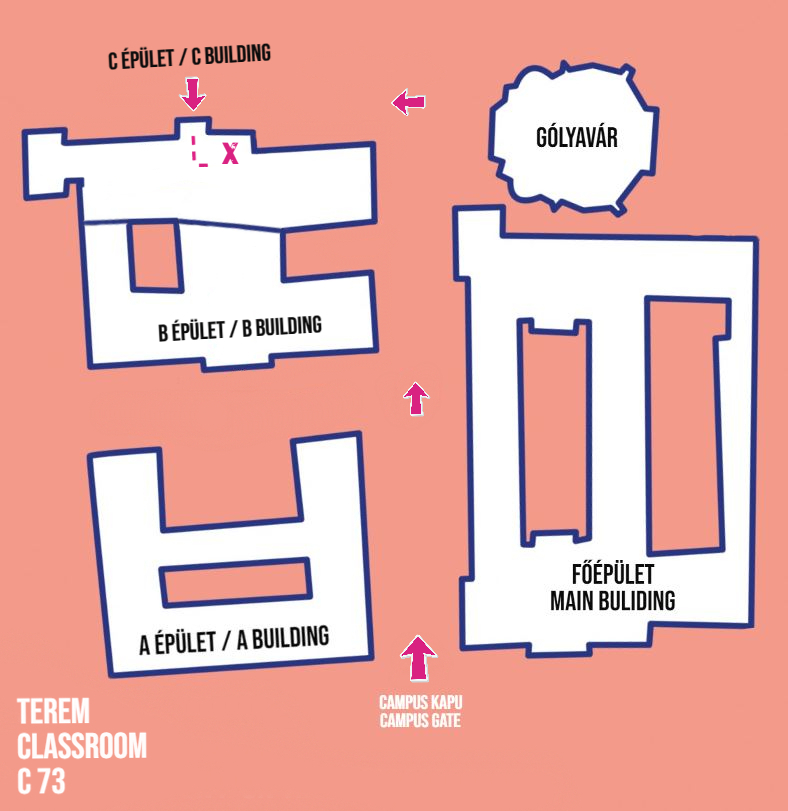
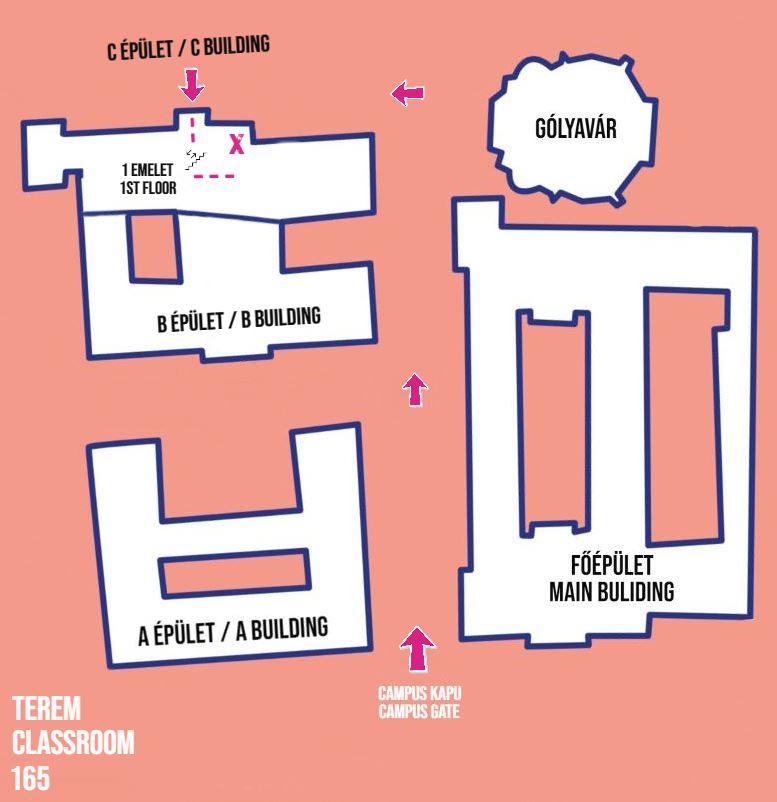
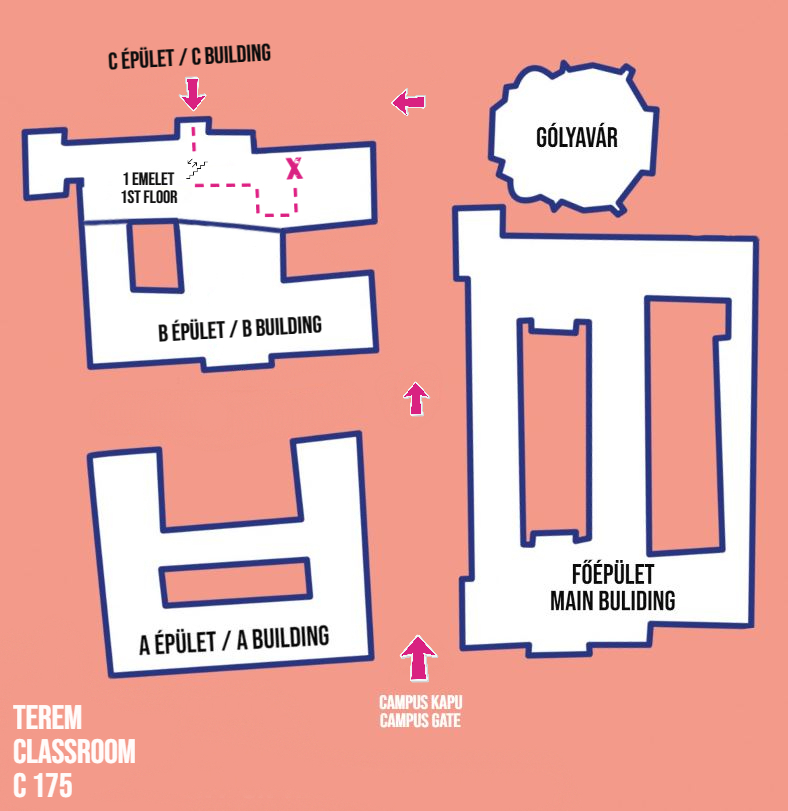
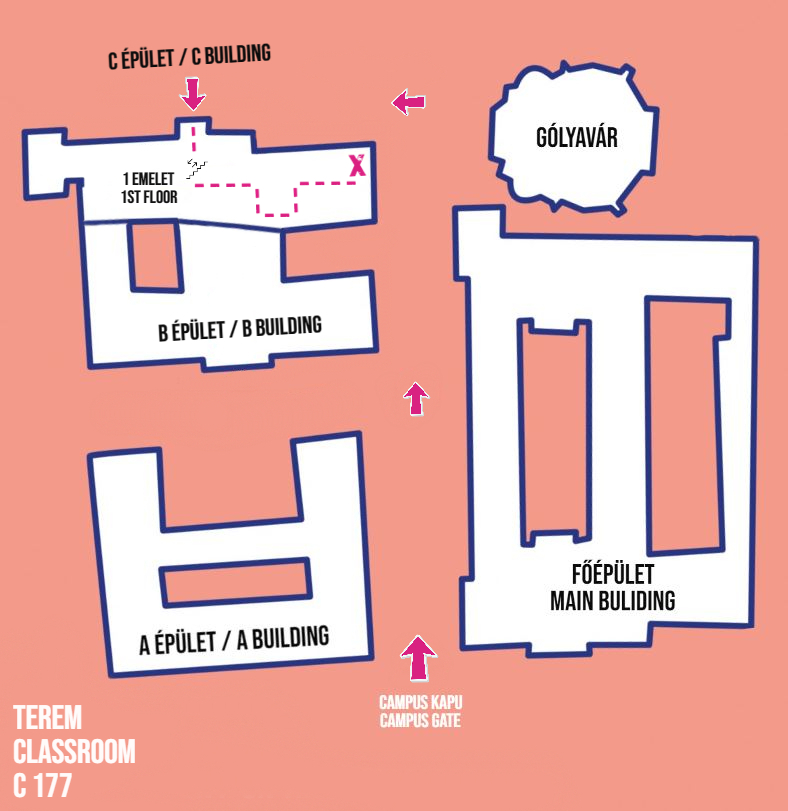
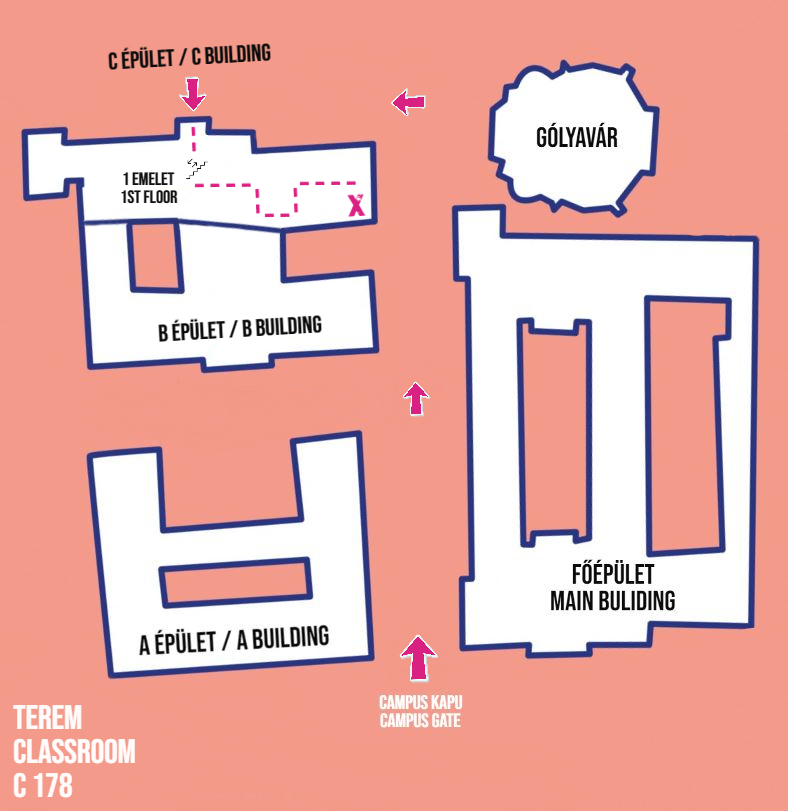
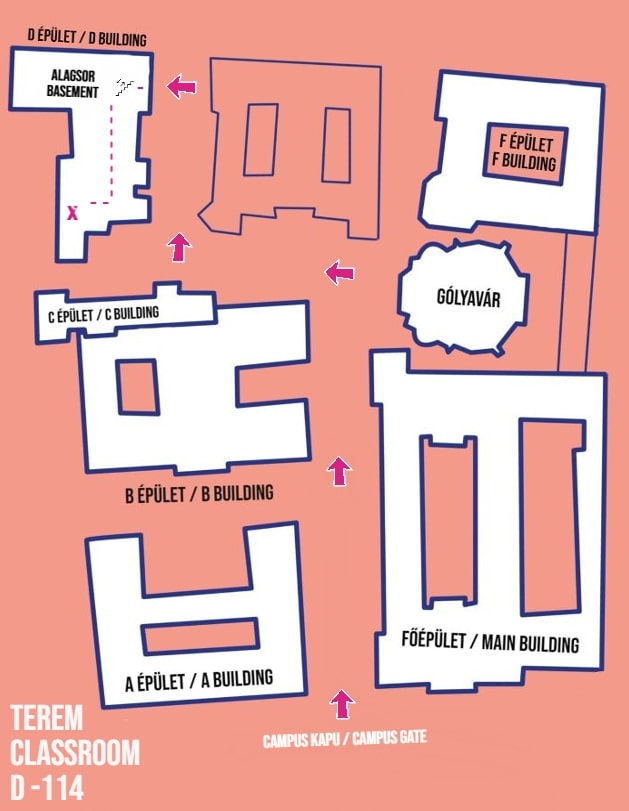
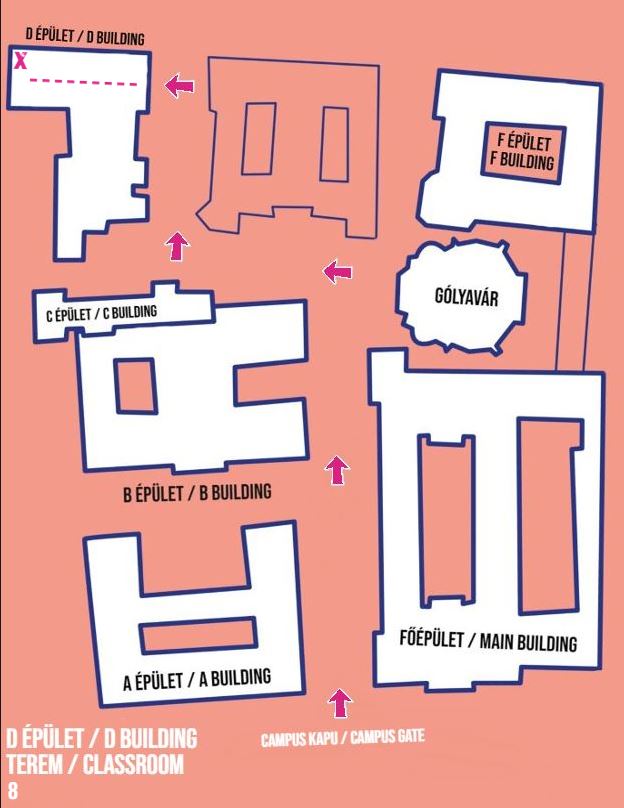
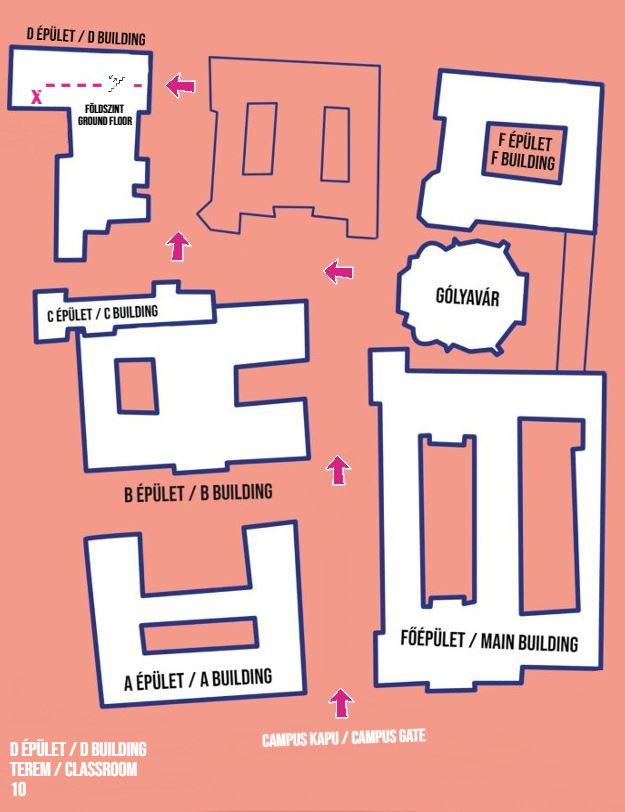
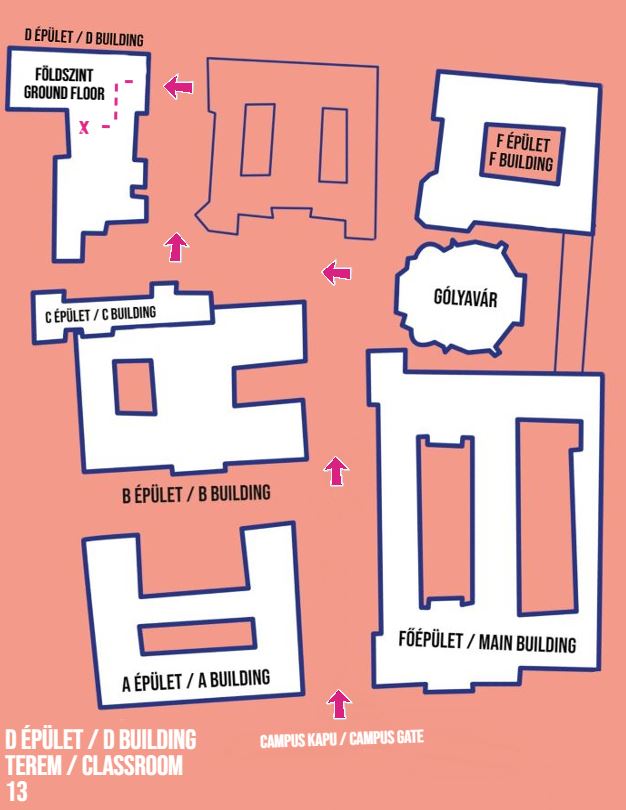
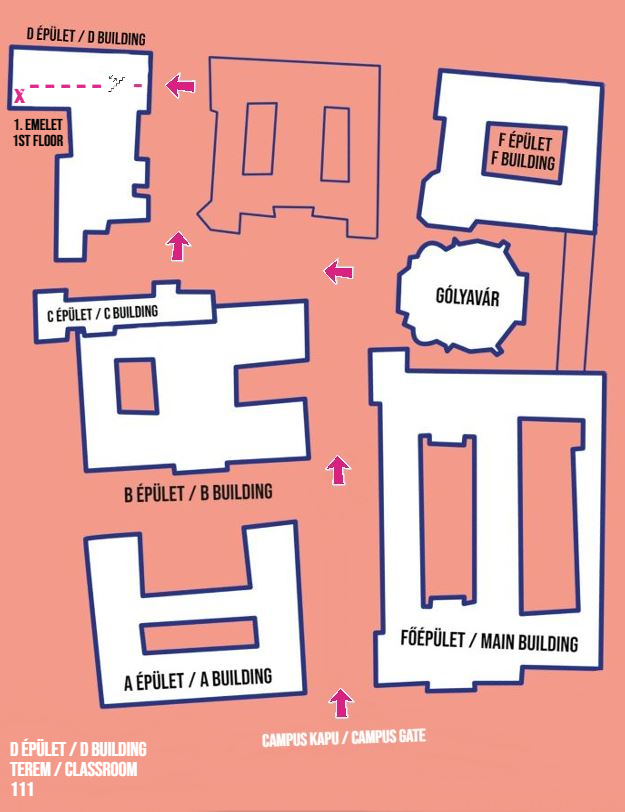
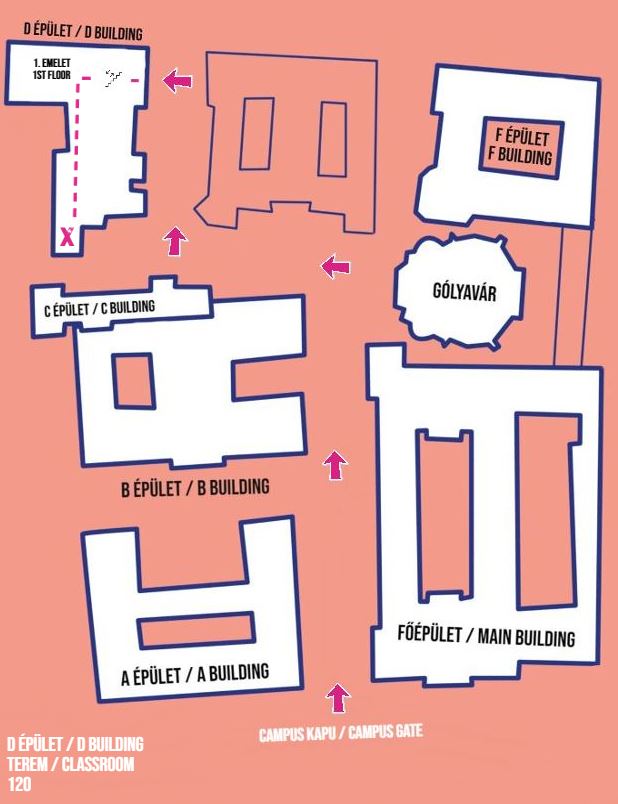
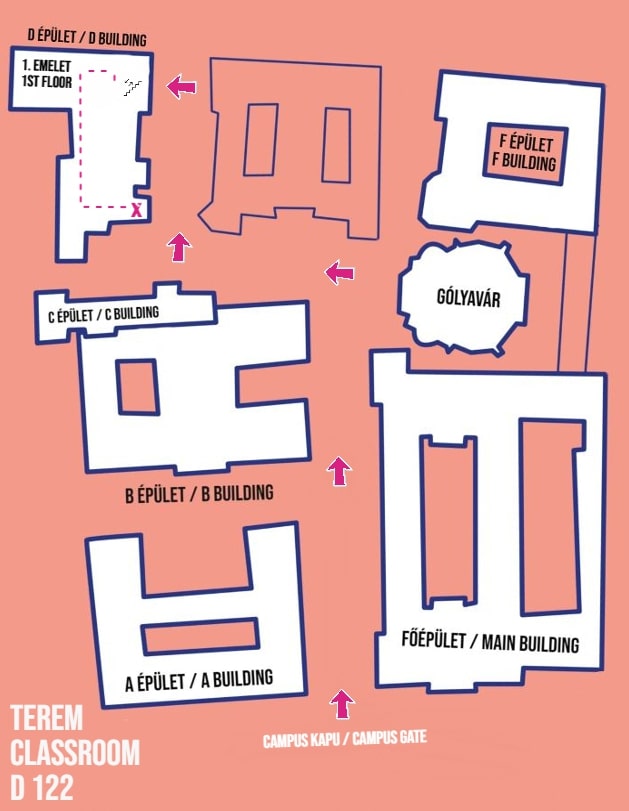
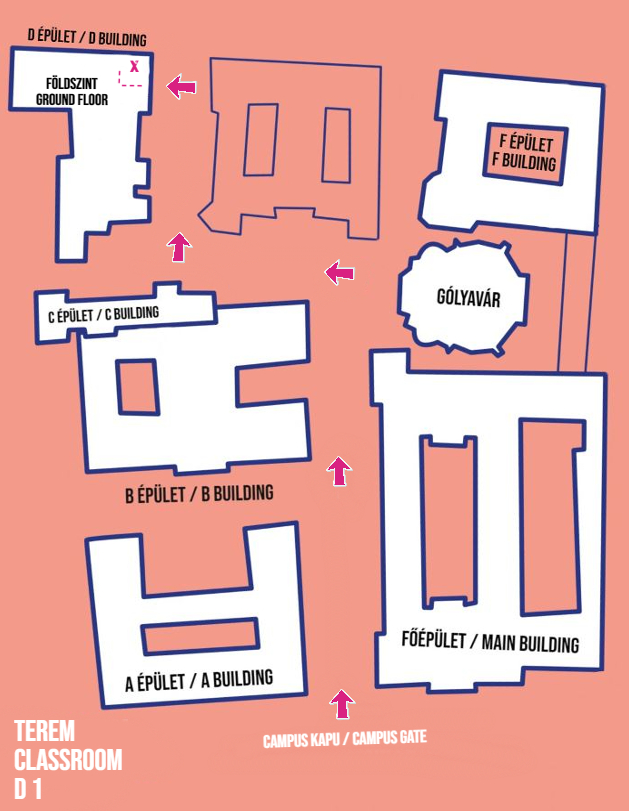
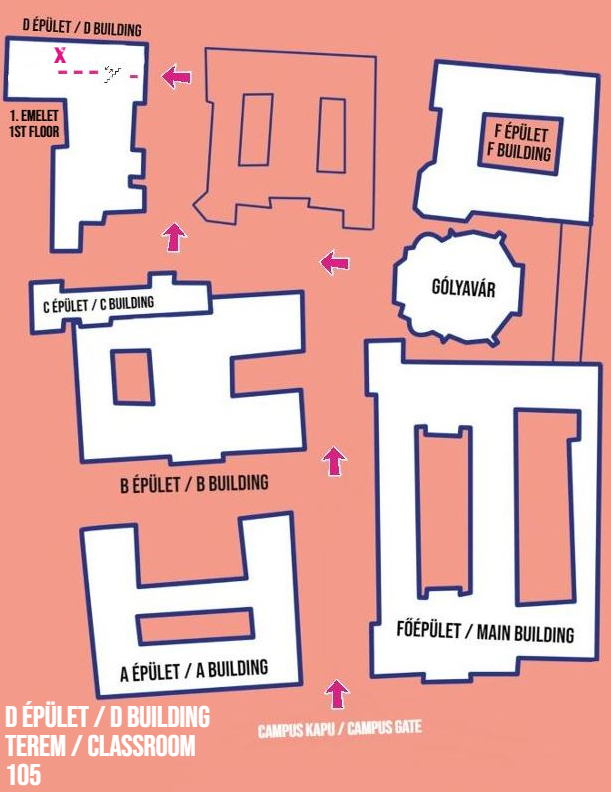
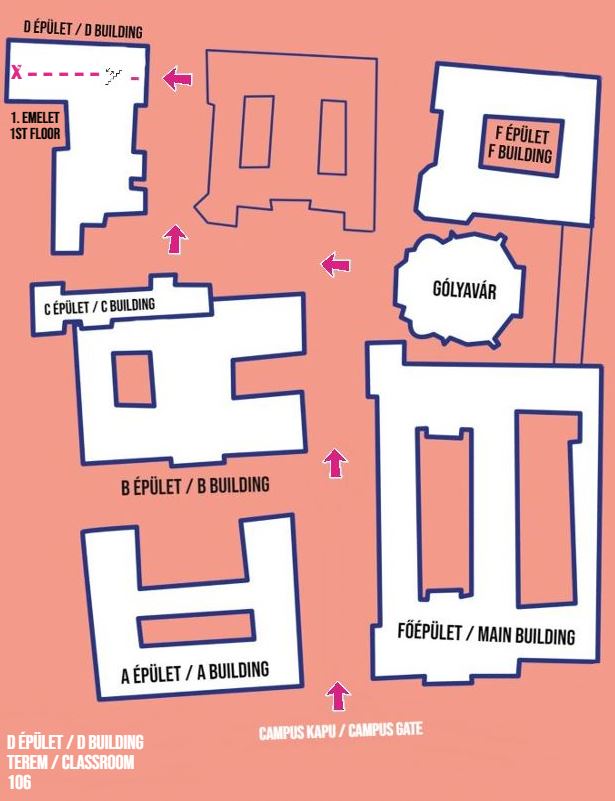
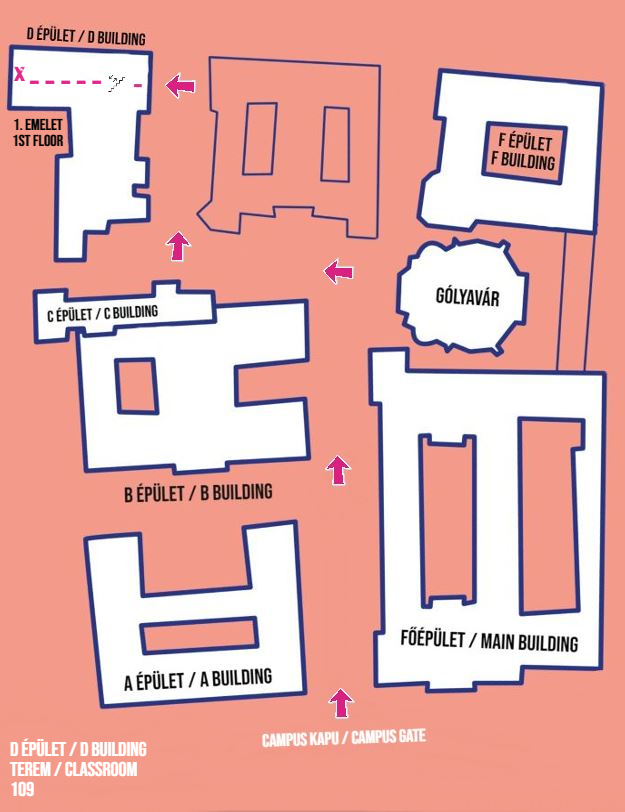
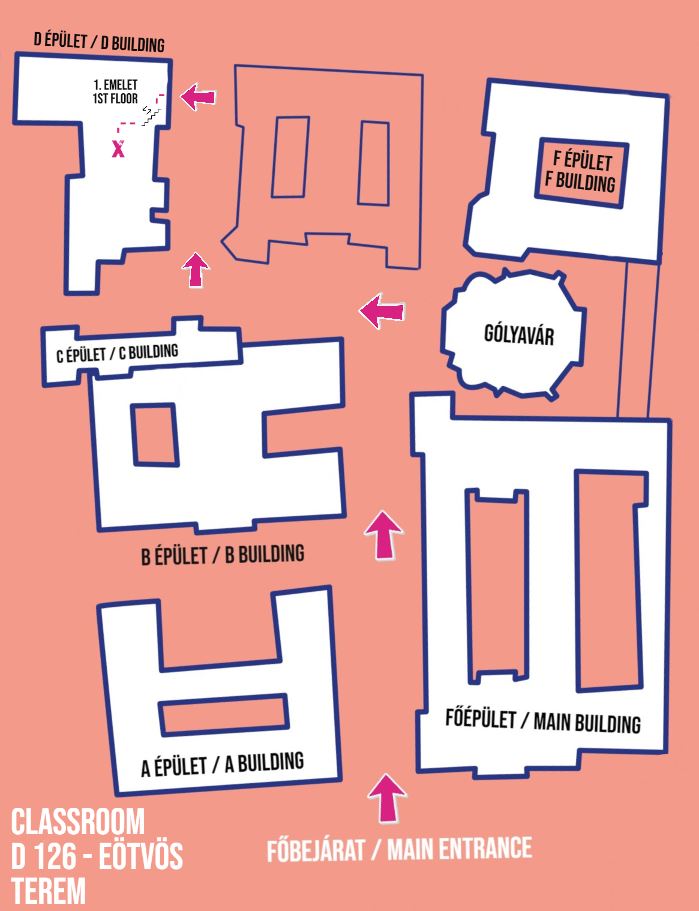
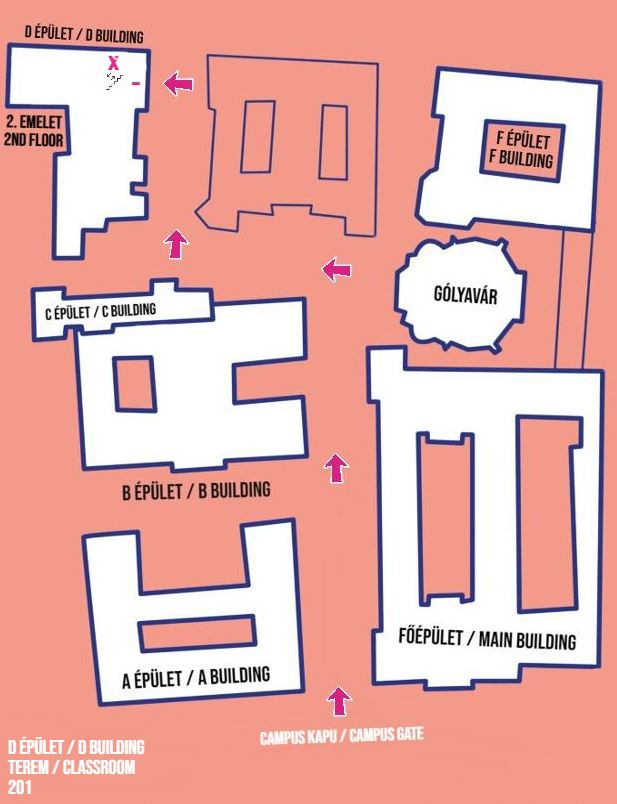
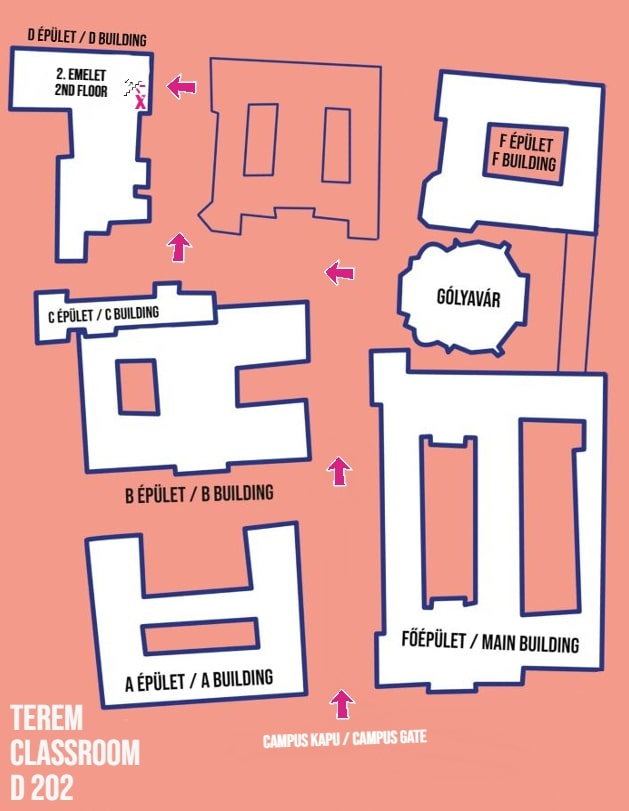
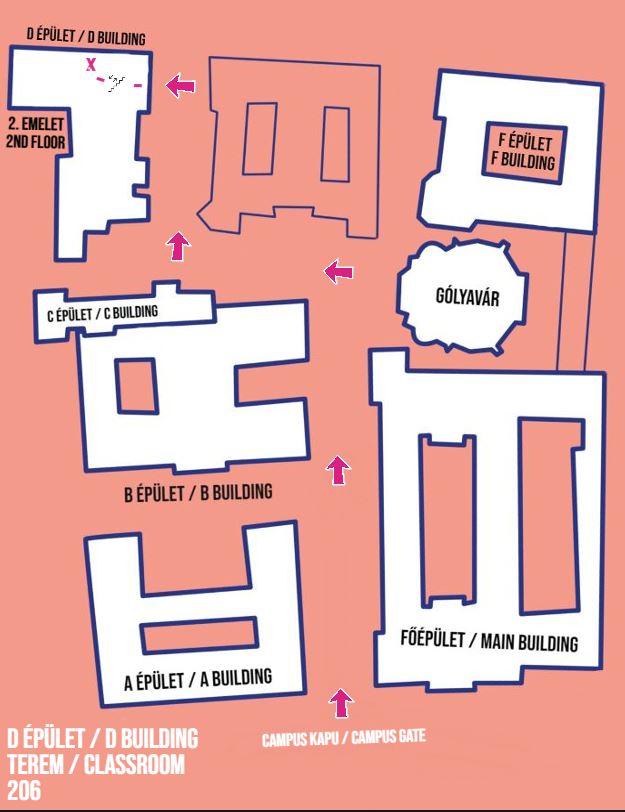
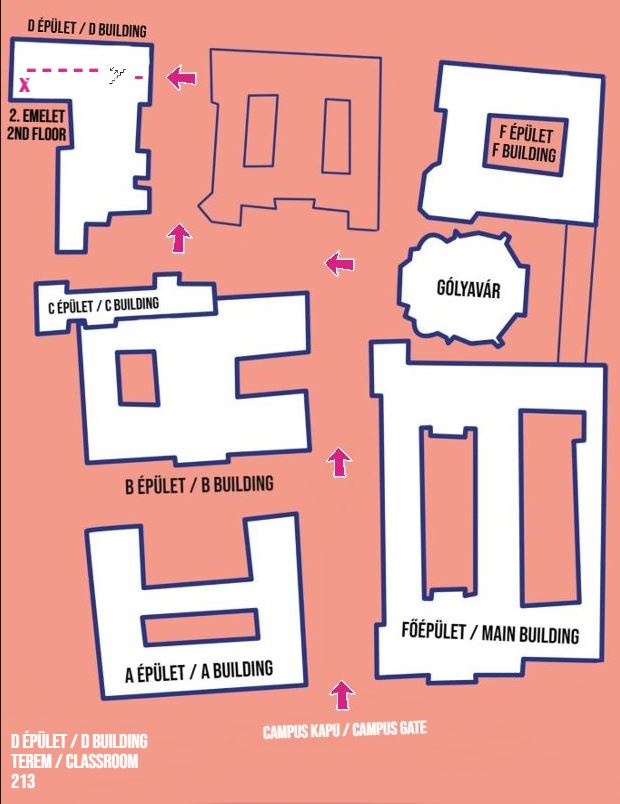
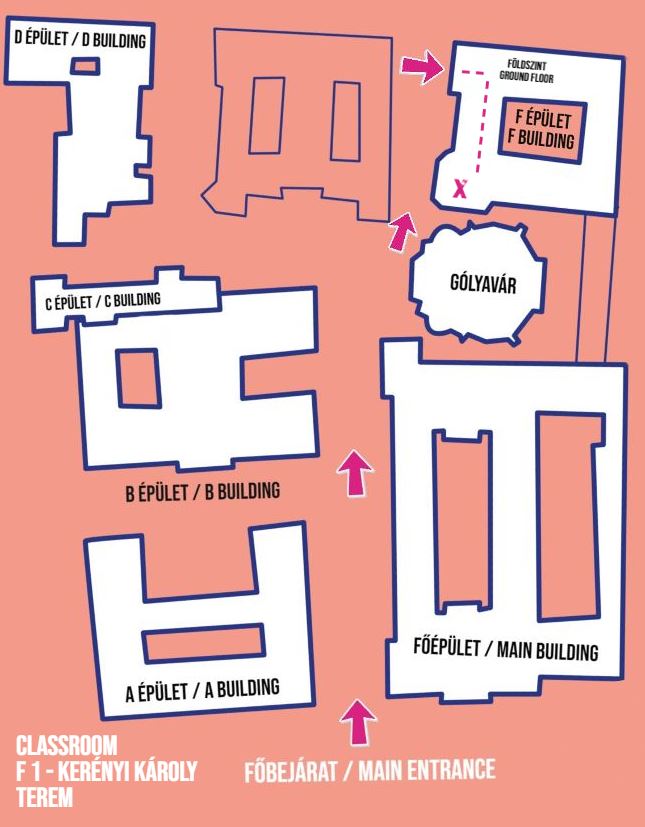
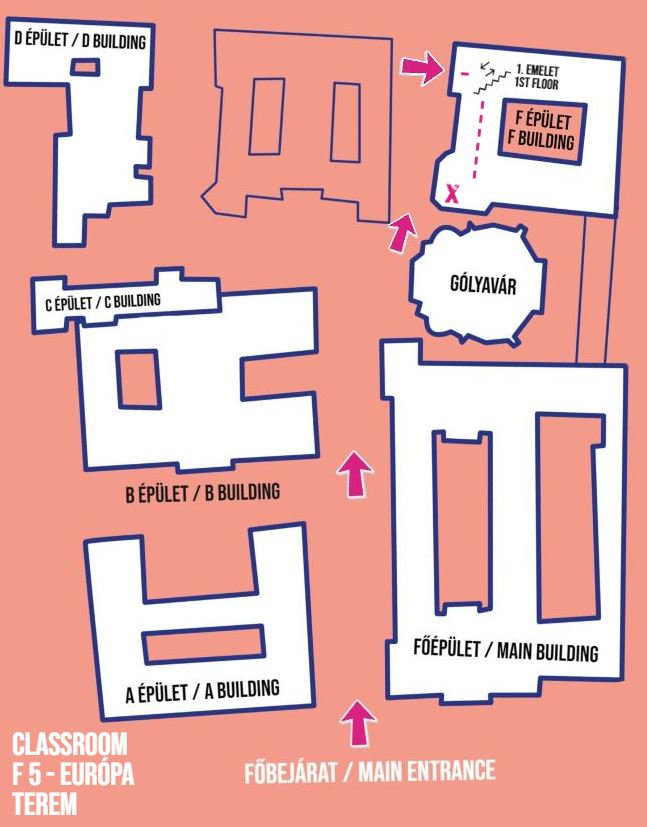
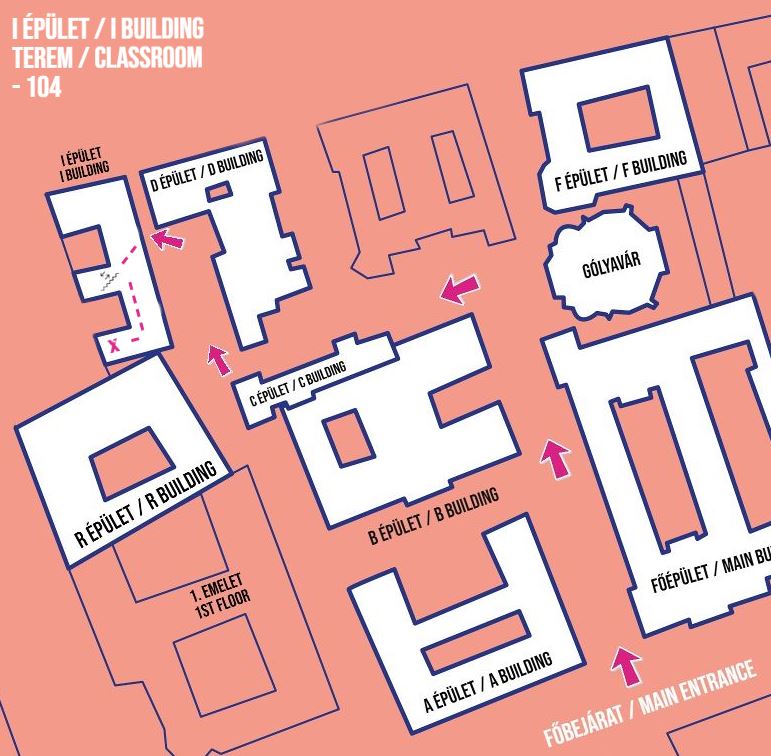
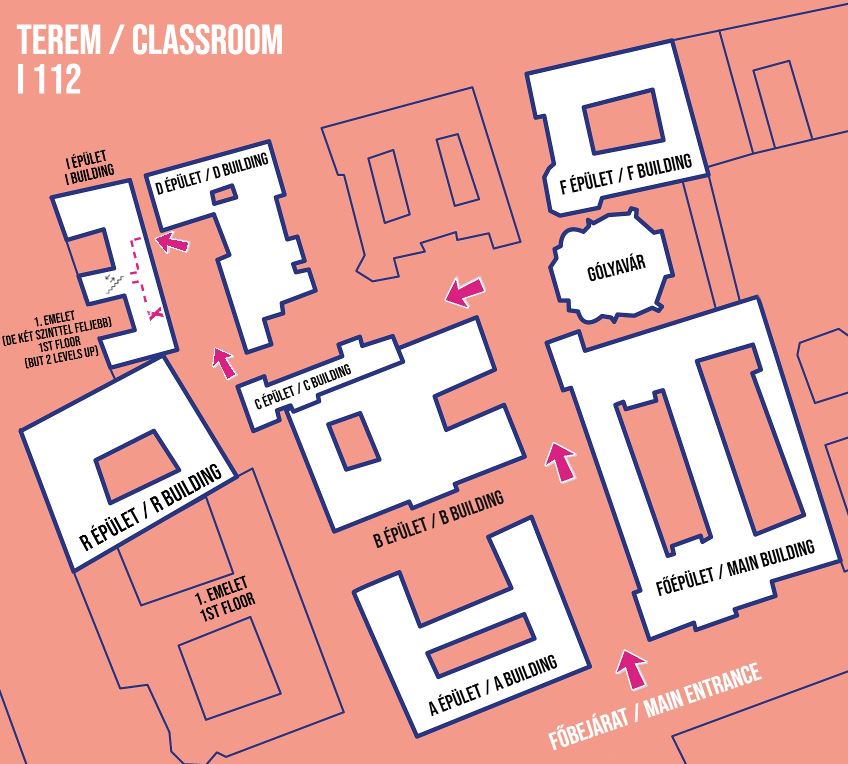
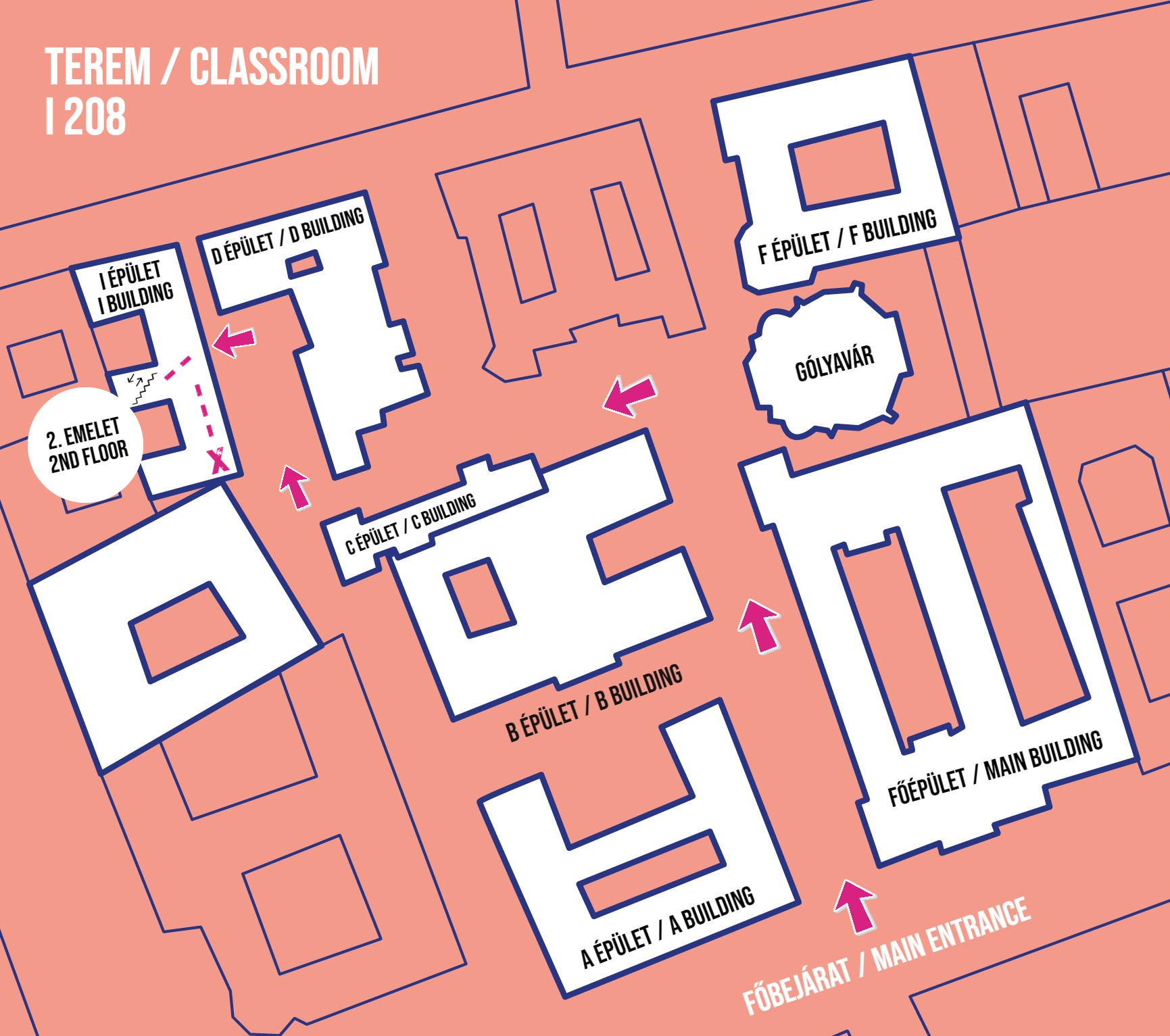
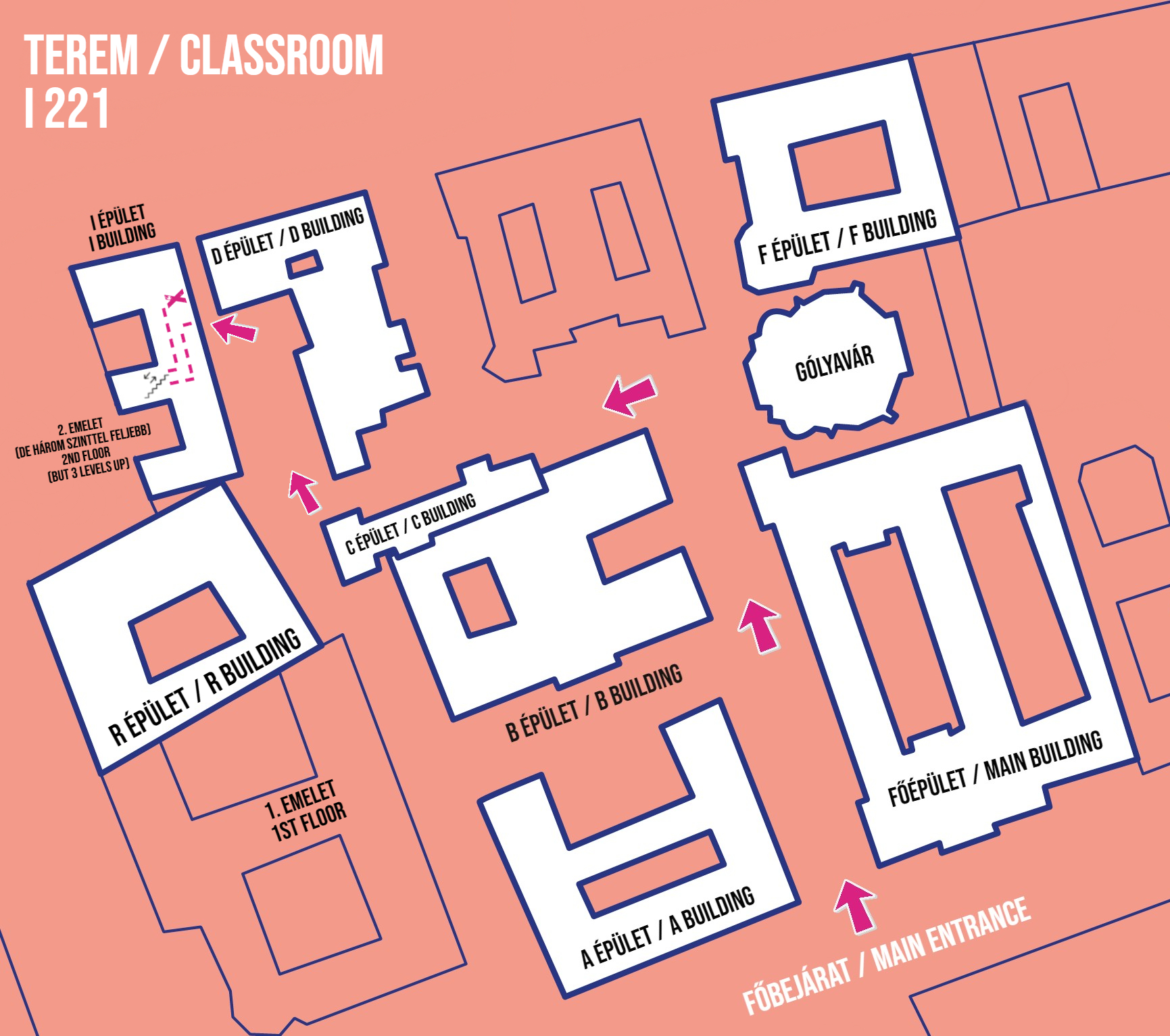
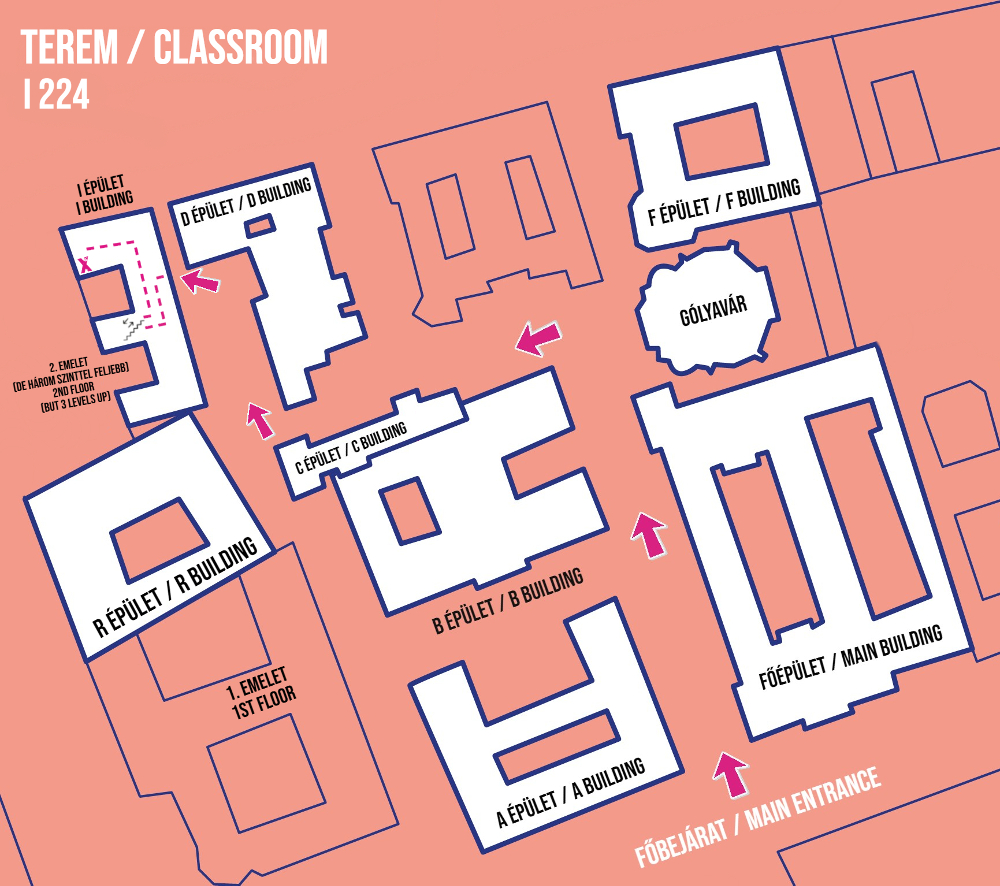
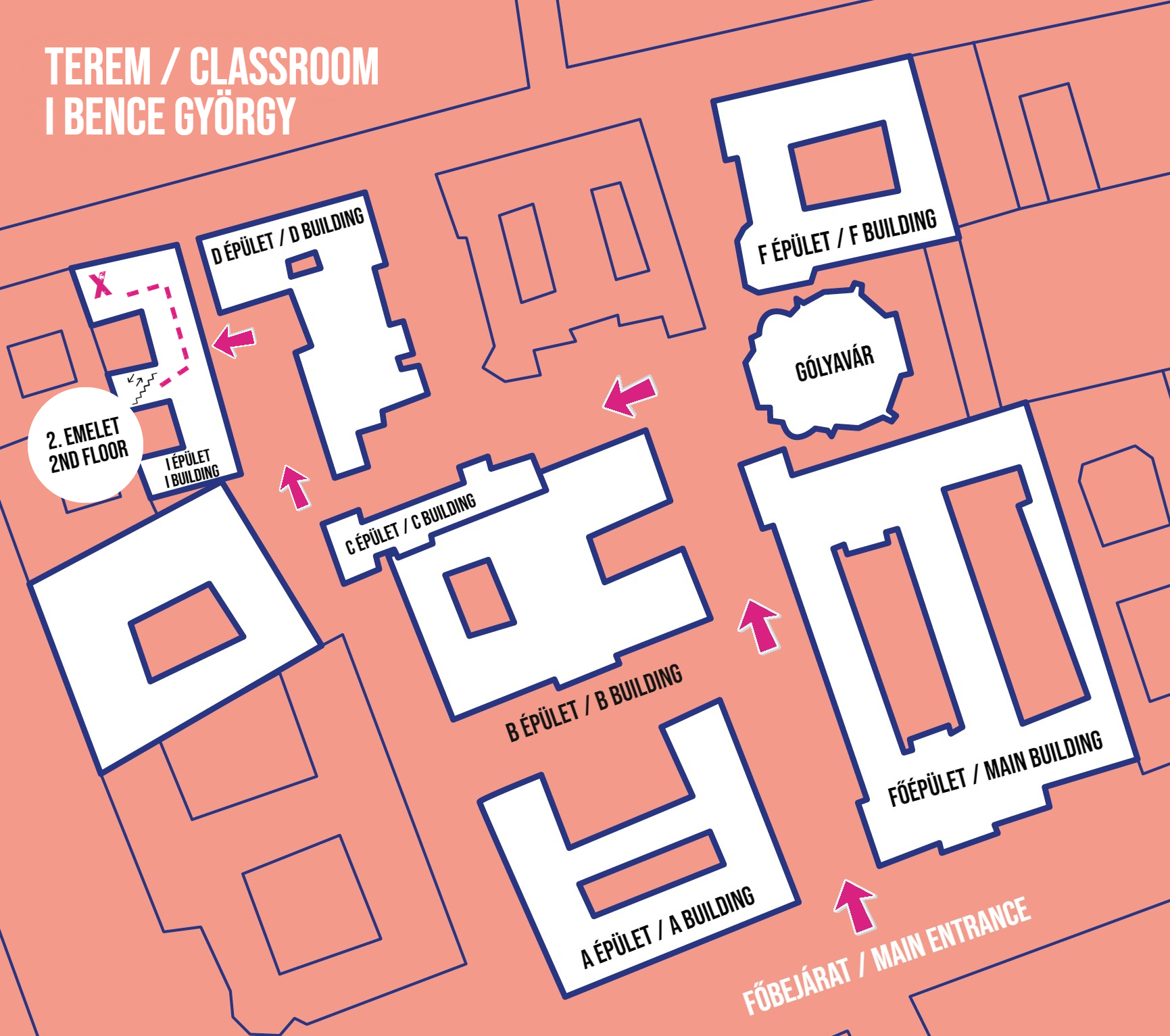
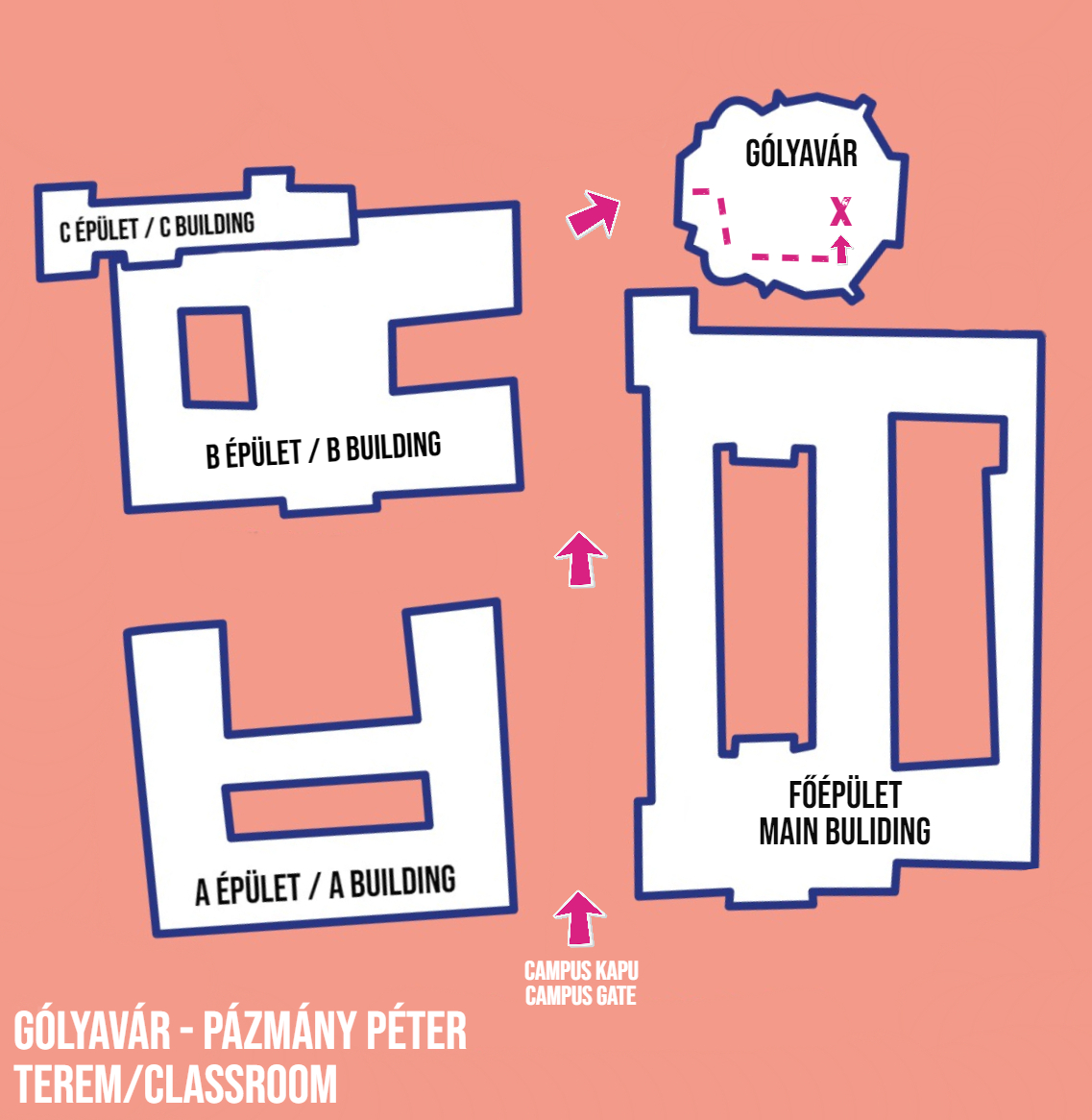
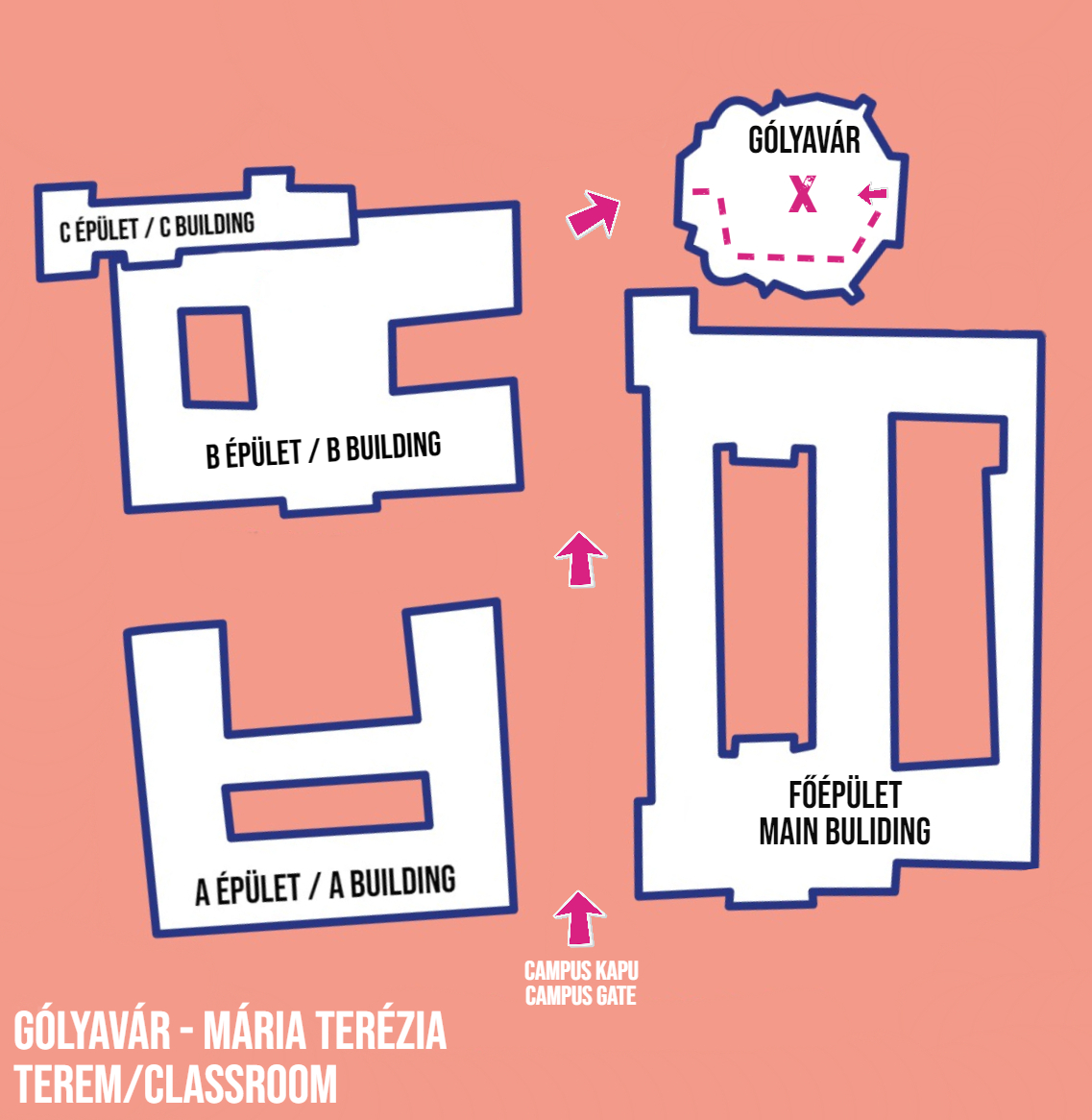
- Once you've figured out the location, you can check it on this page.
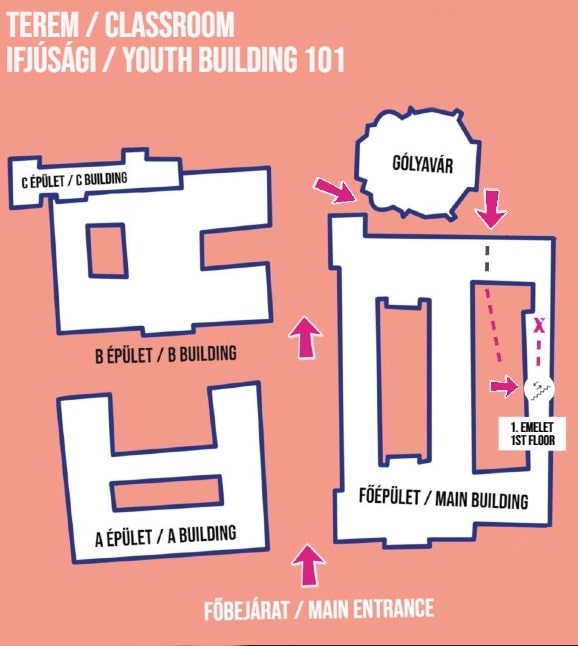
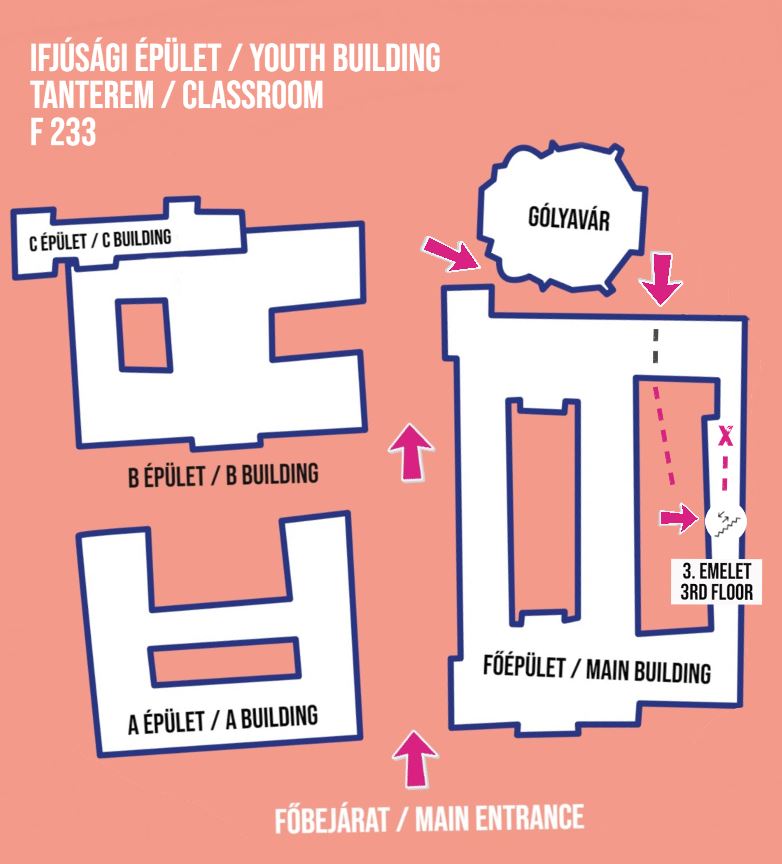
- The most common rooms are listed below along with a small map, organized by building, which you can view without logging in.
- In the map application linked above (available only after logging in), you can search for any room, and it will show you where it is located.
Külsős érdeklőink számára/For inquiries
A lenti listában kattintson a terem nevére a térképhez!
Ha nem találja a keresett termet, forduljon az épület portásaihoz.
Click the name of the room to open the map.
If you can't see here what you're looking for, you can ask the guards.
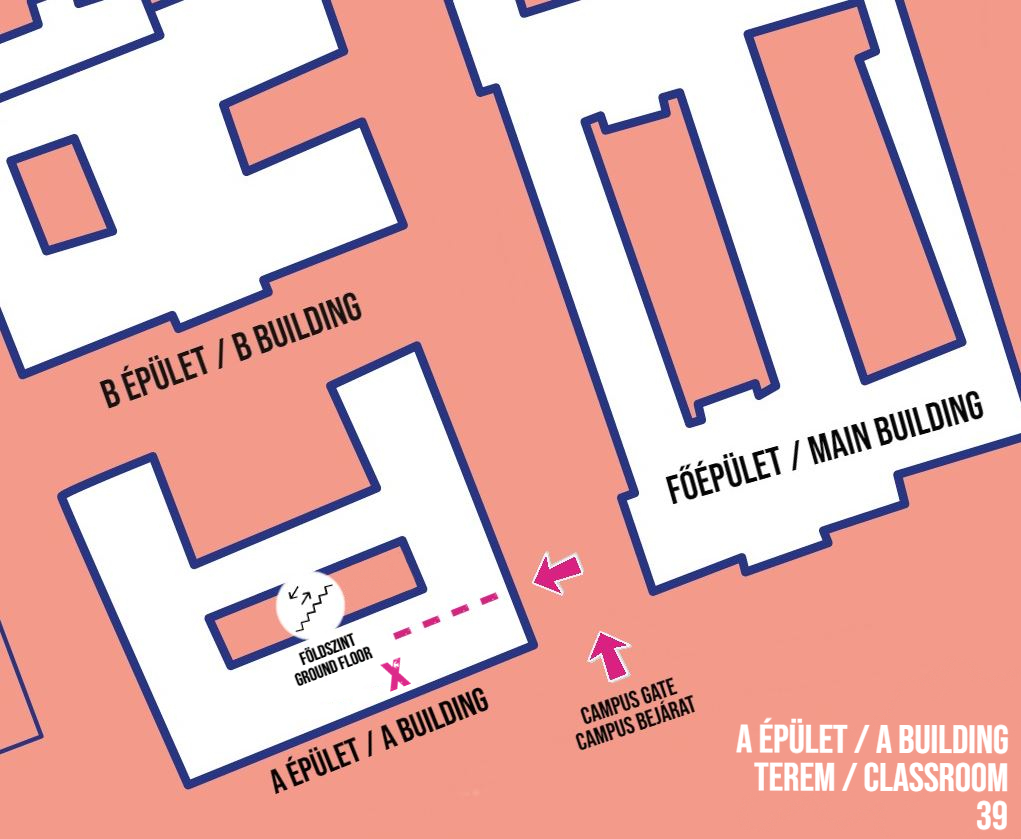

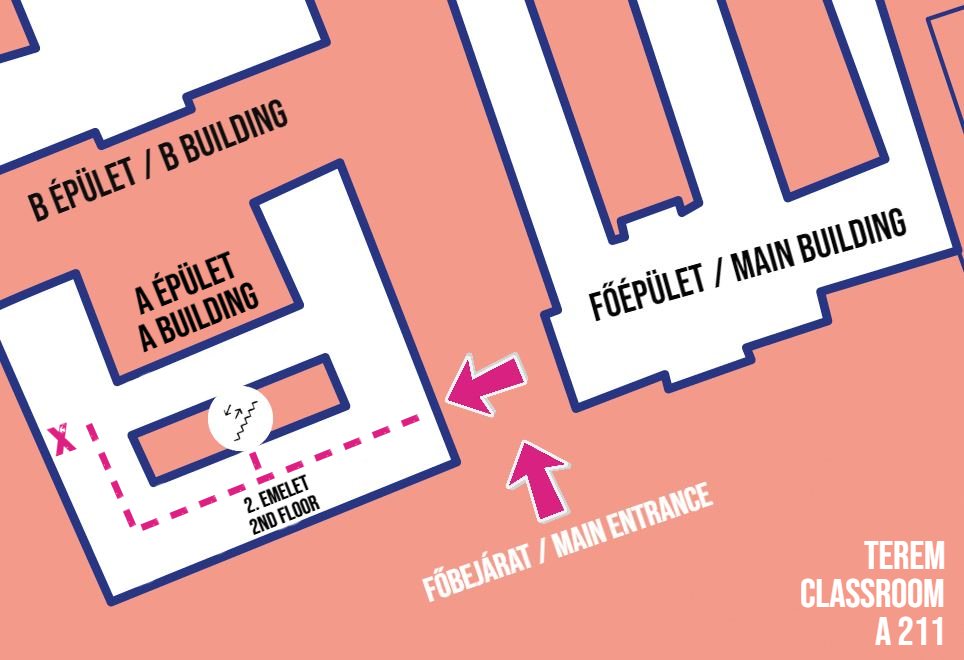
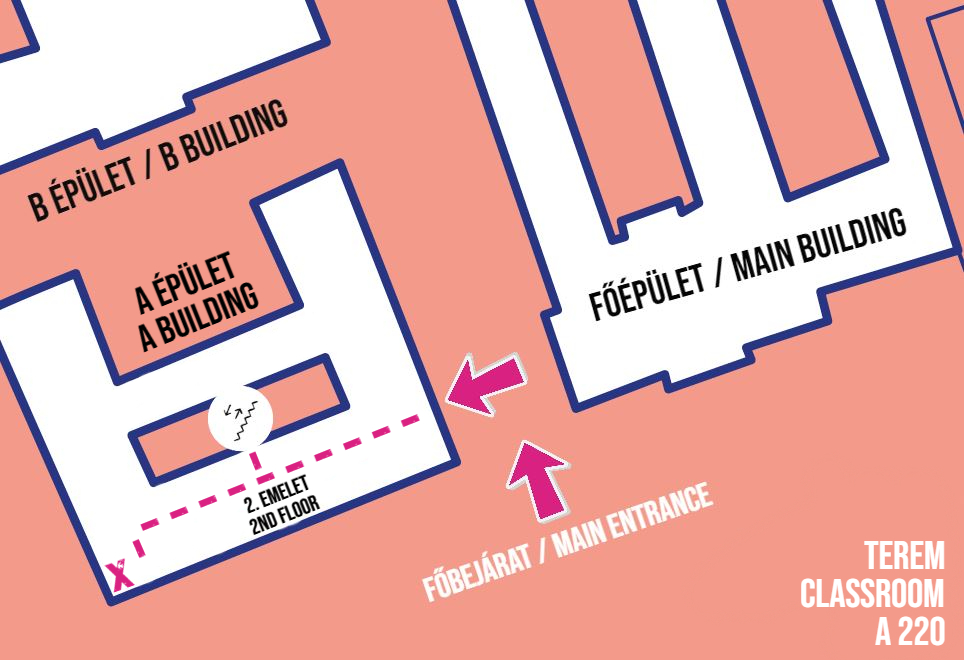
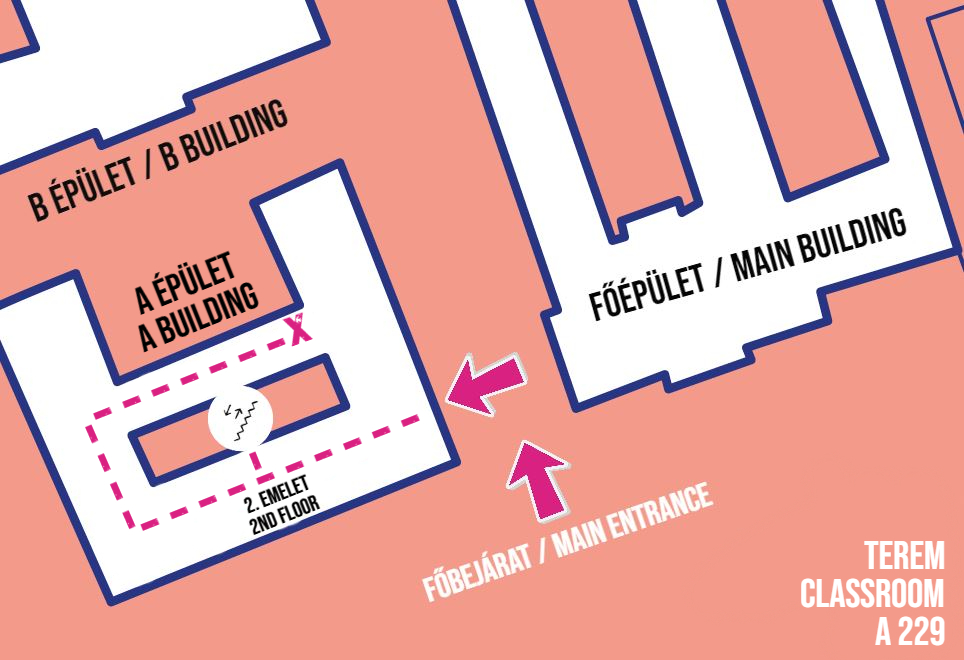
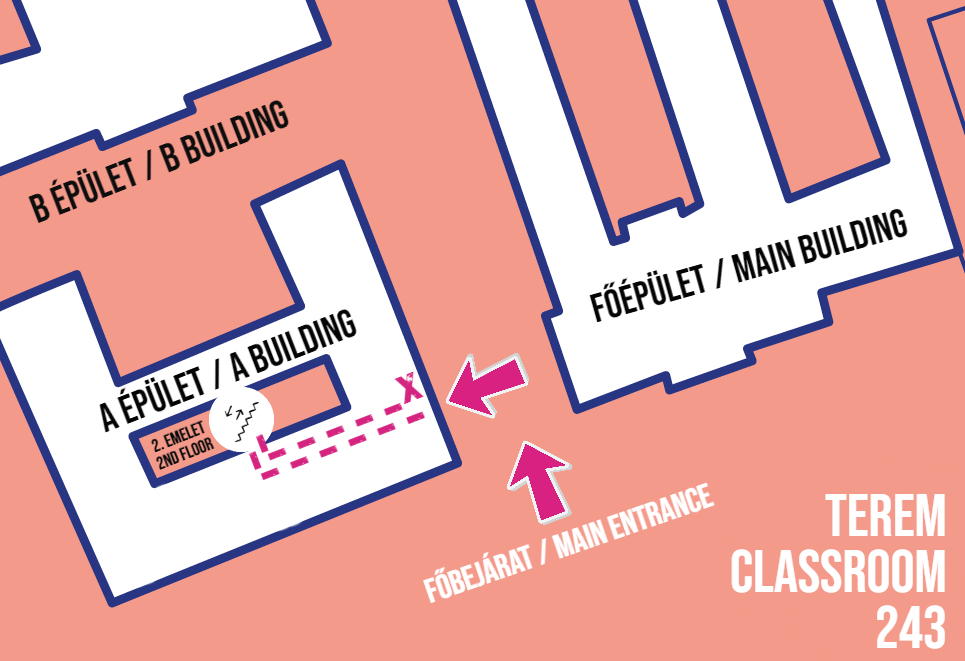
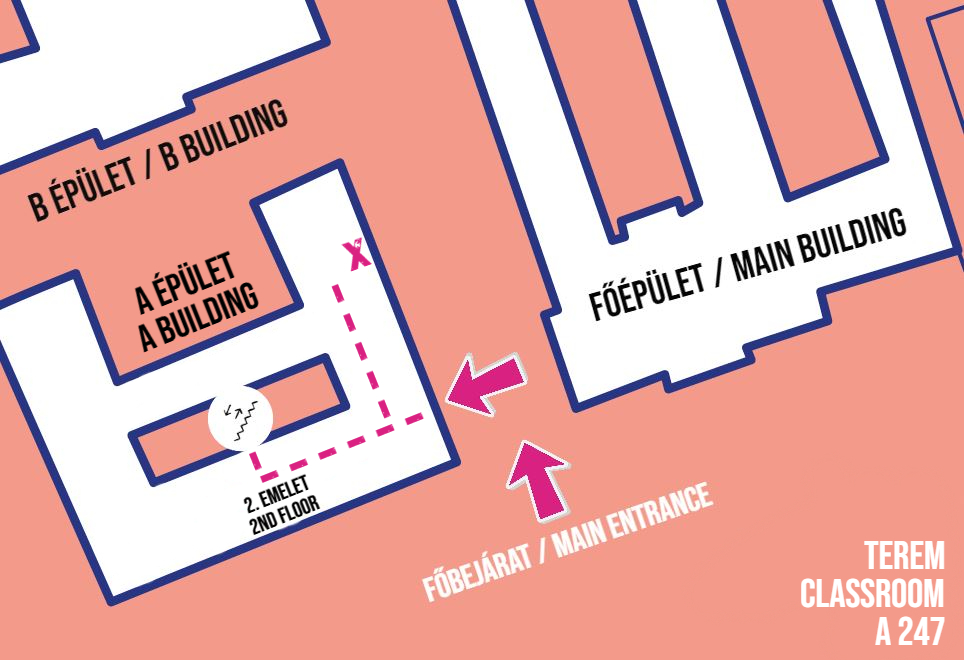
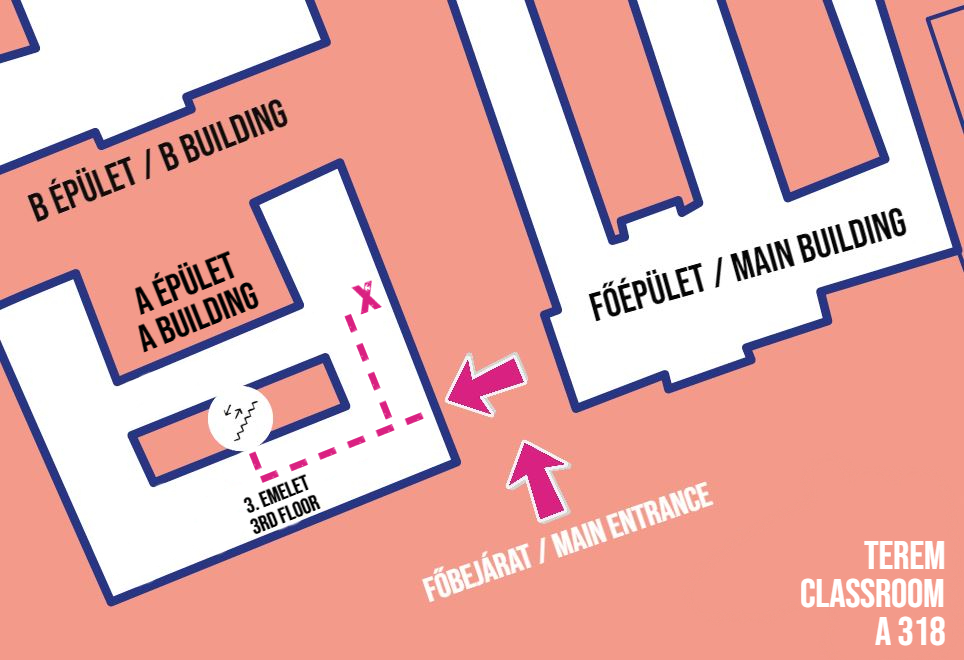
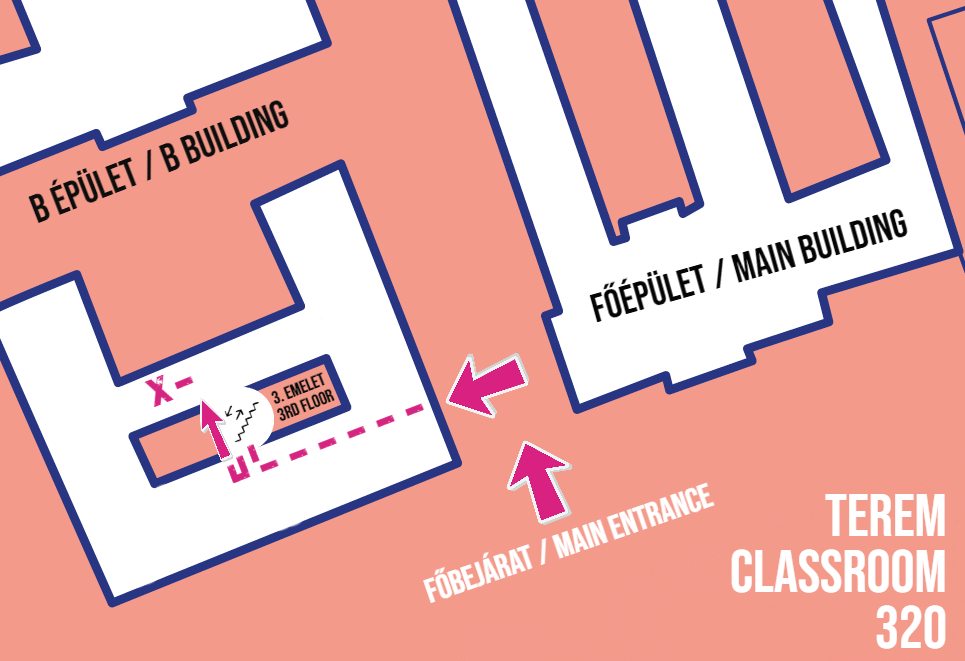
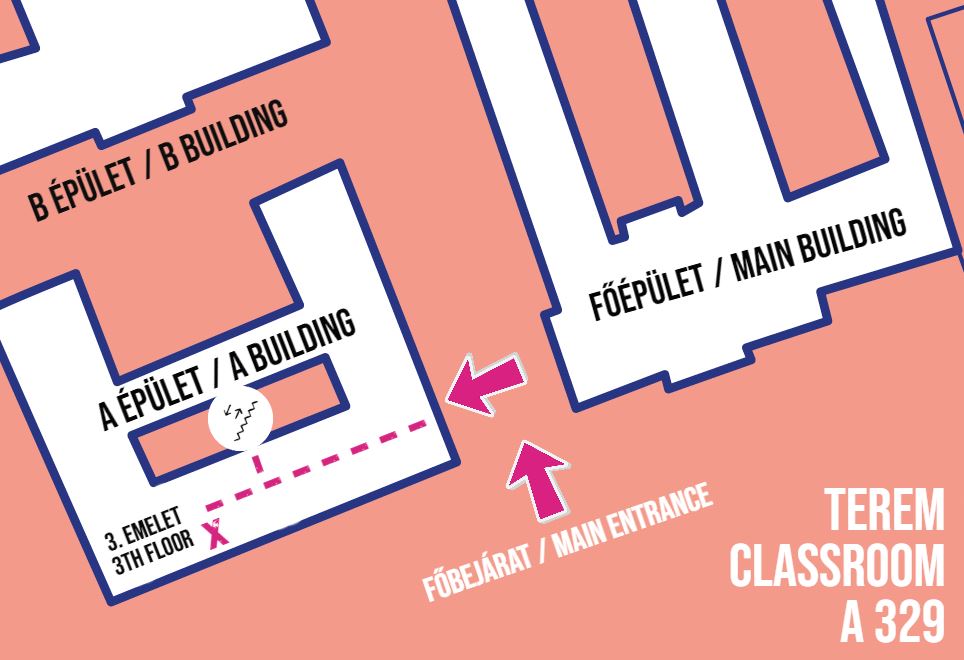
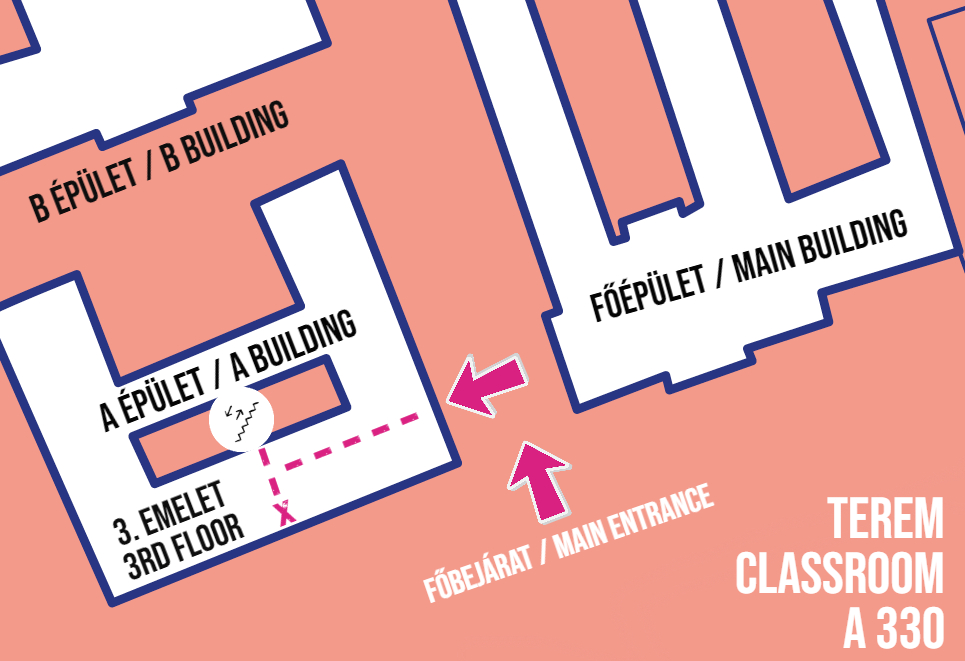
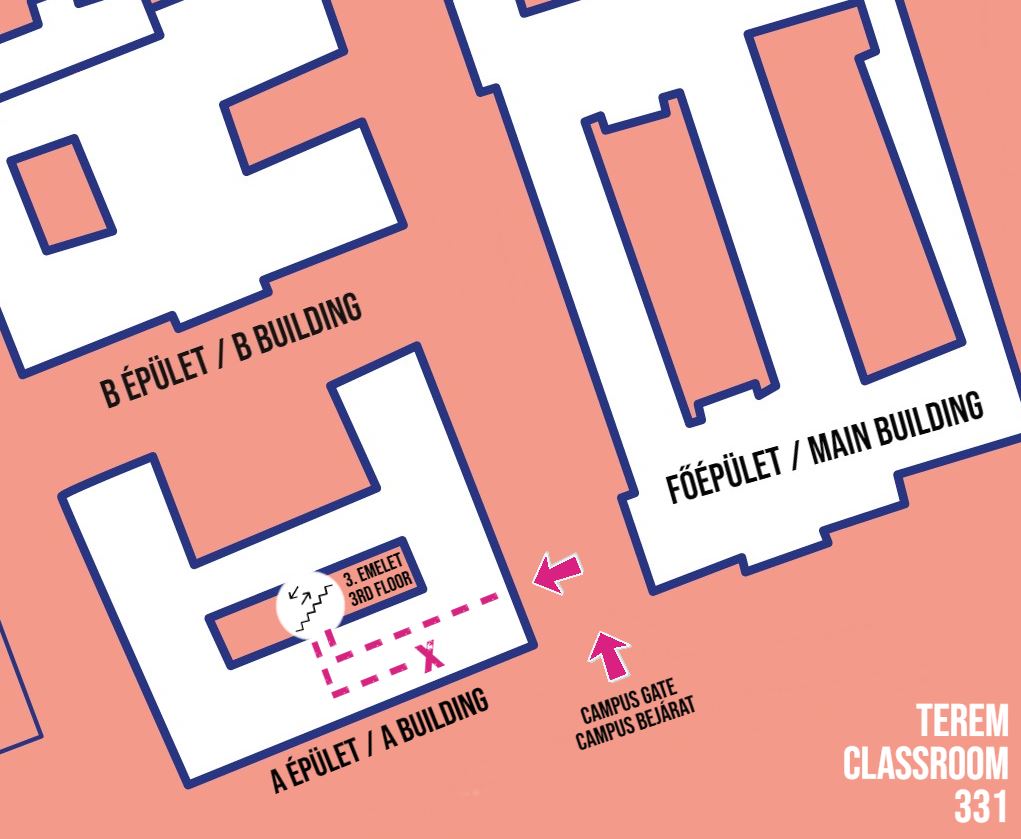
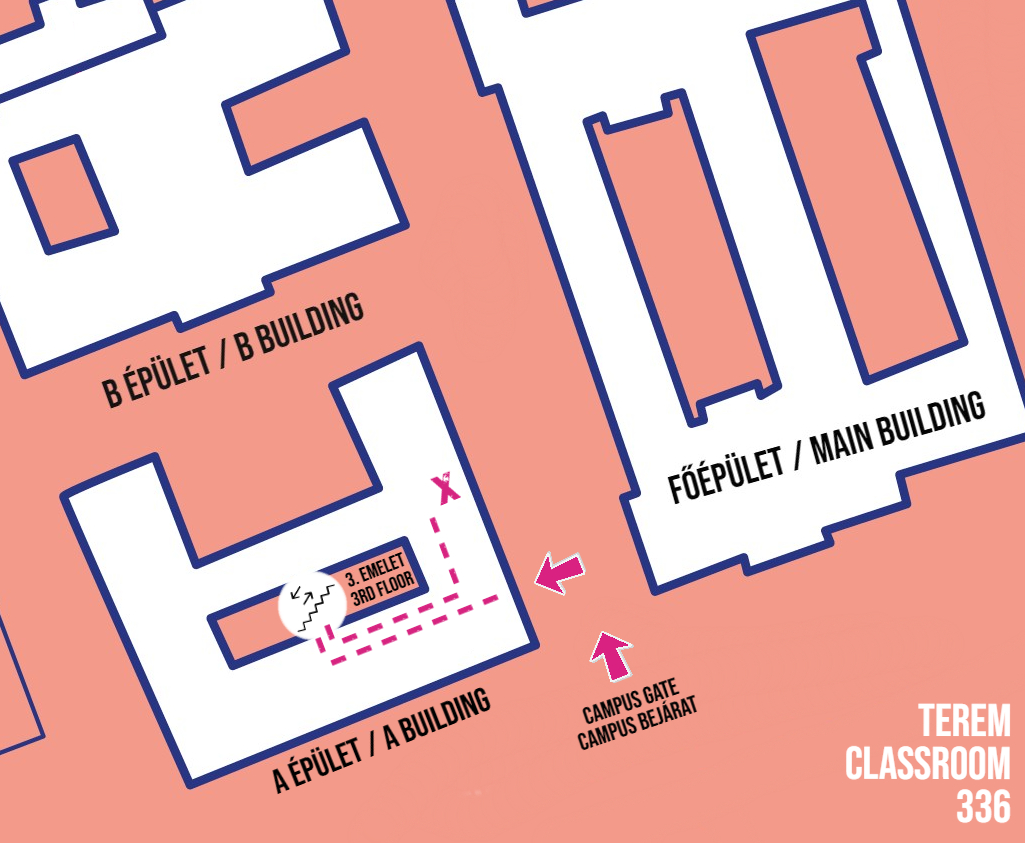
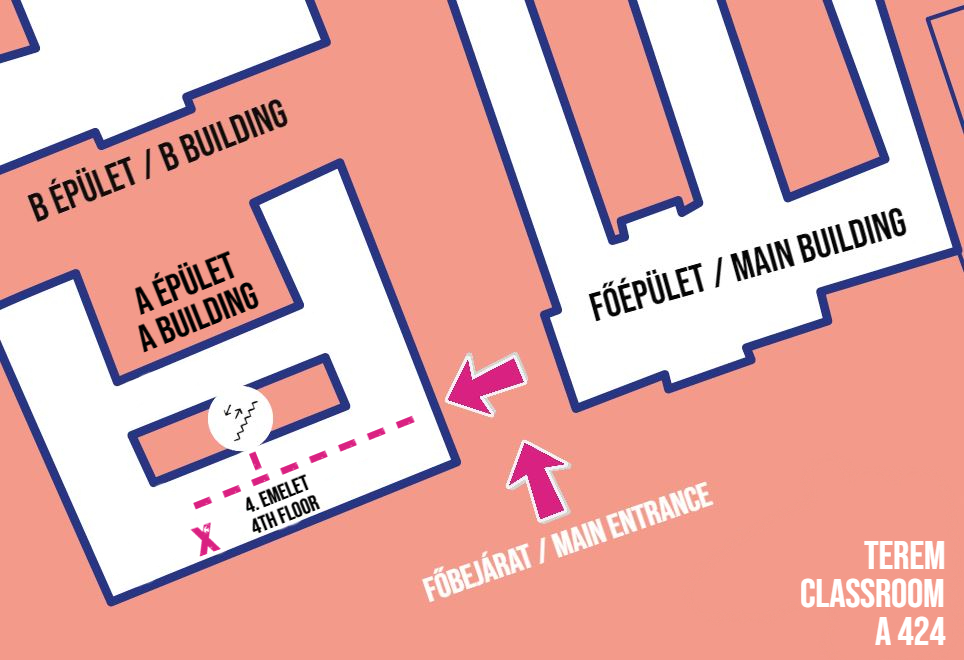
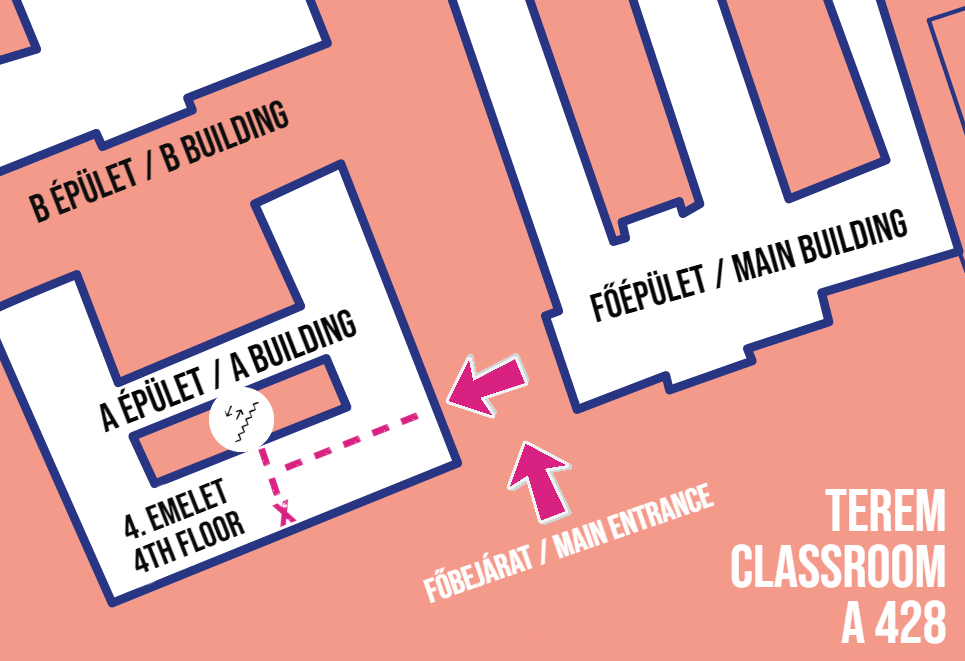
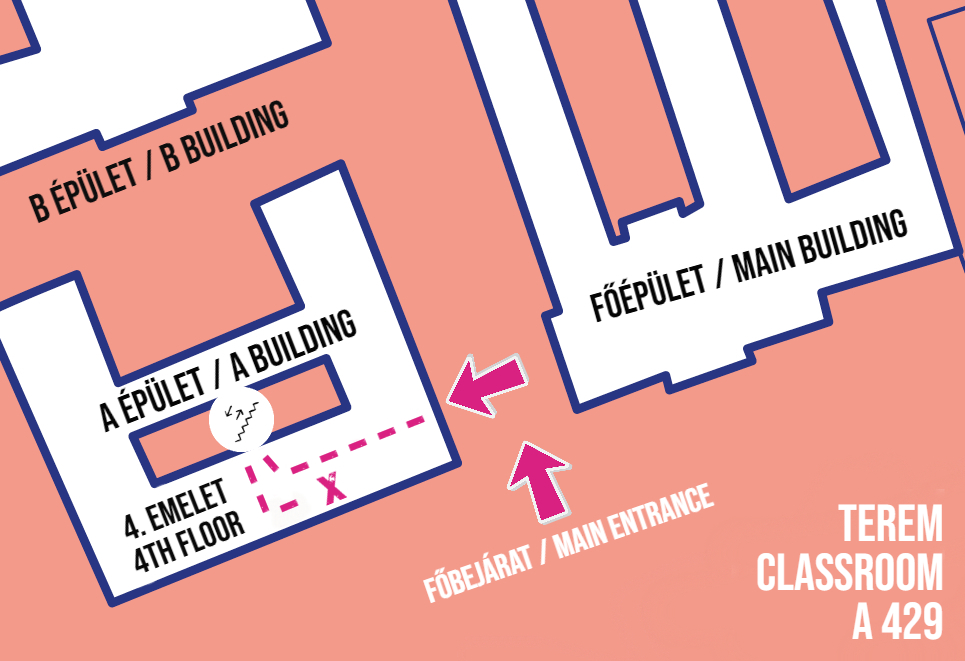
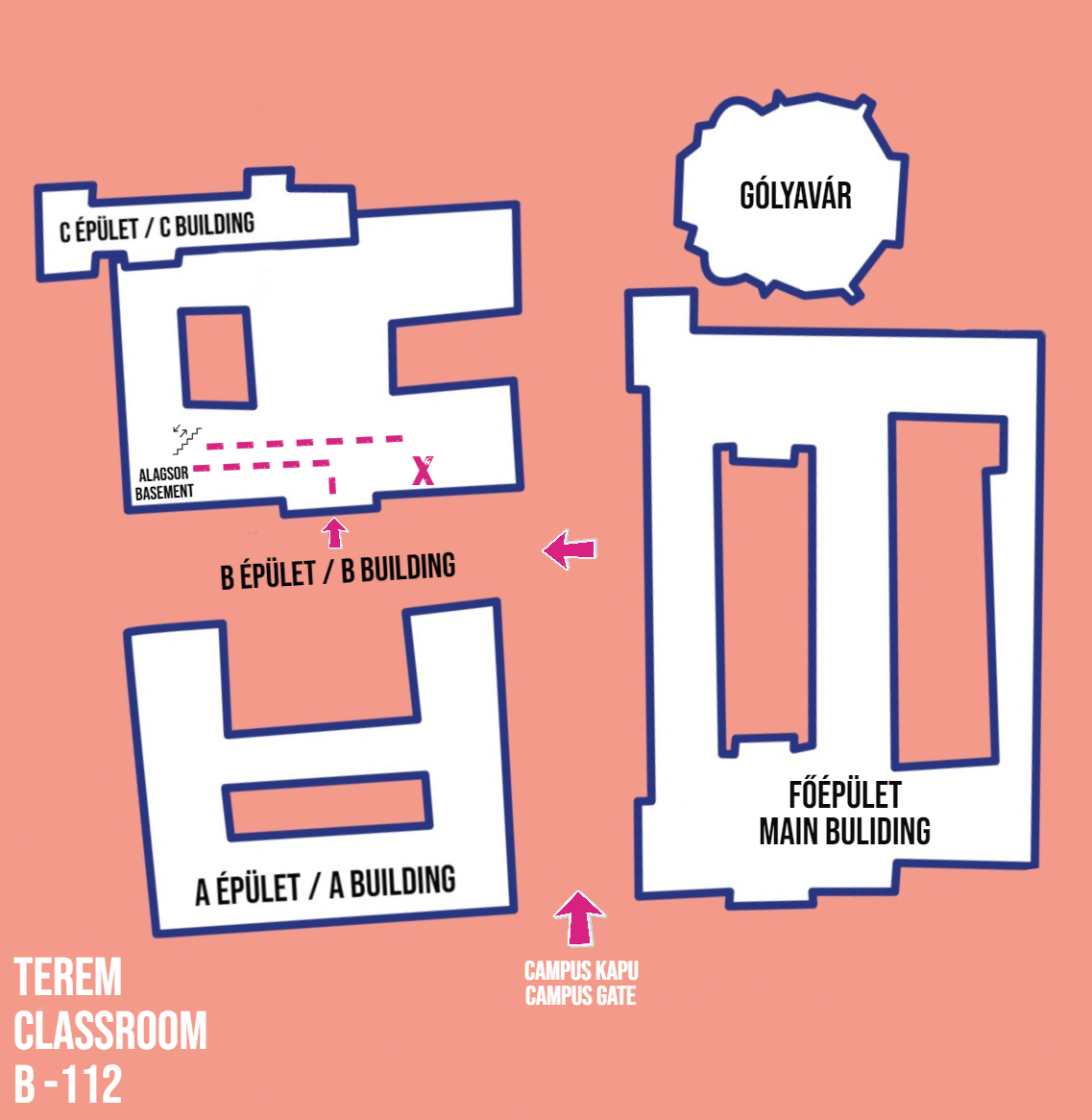
B épület / B building
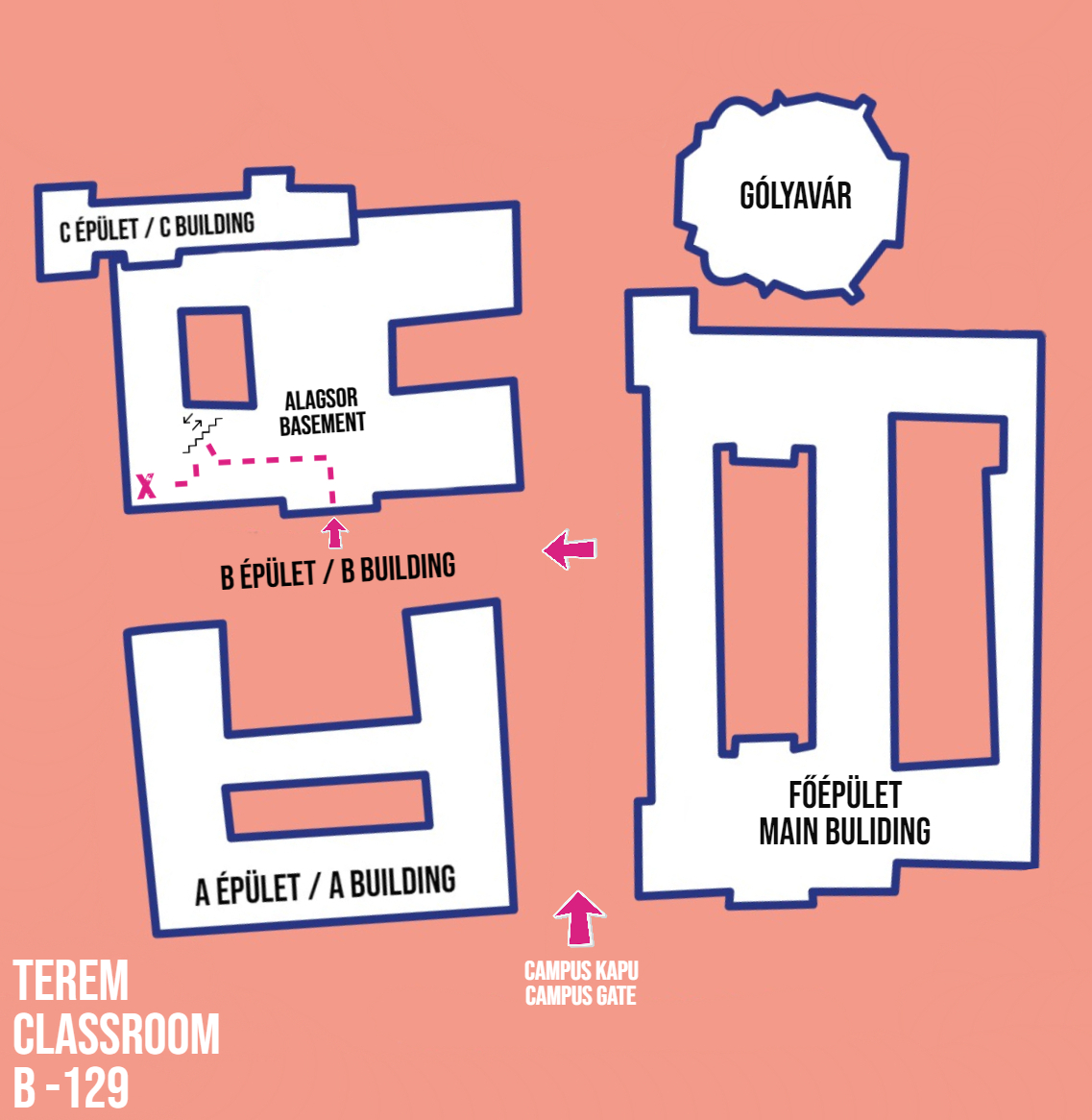
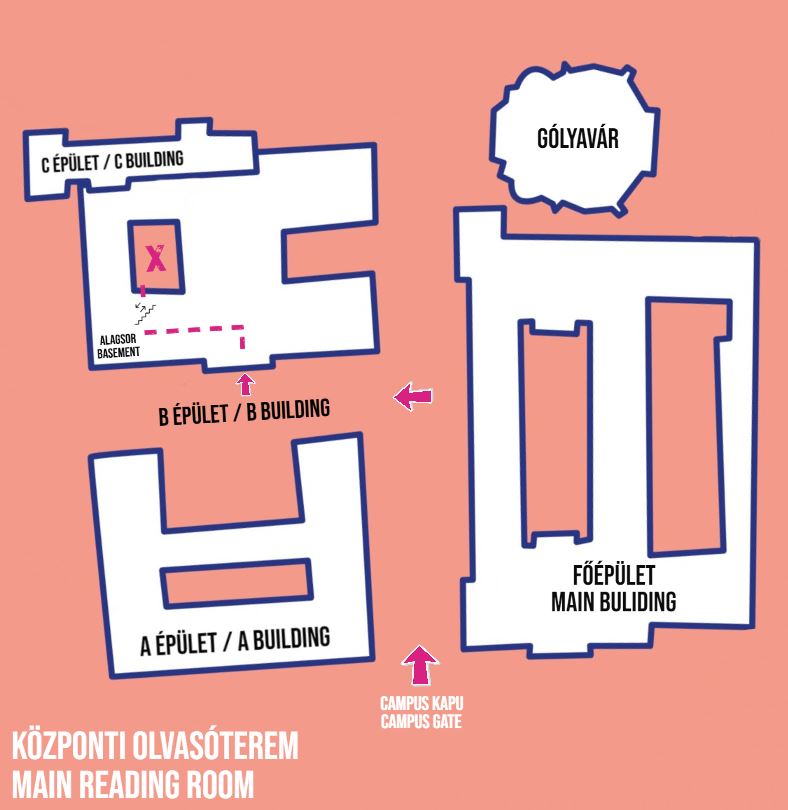
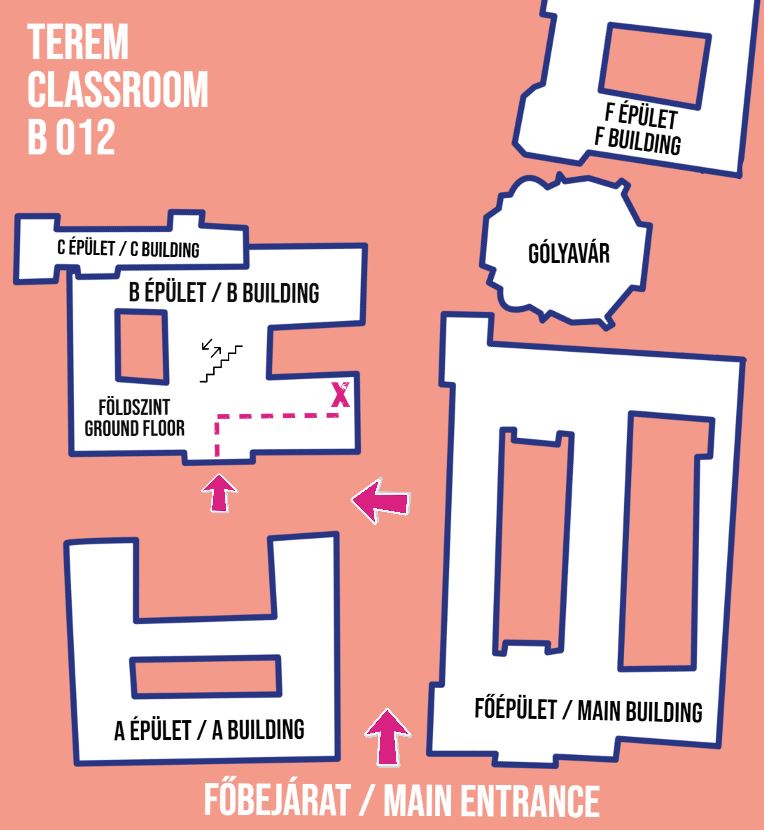
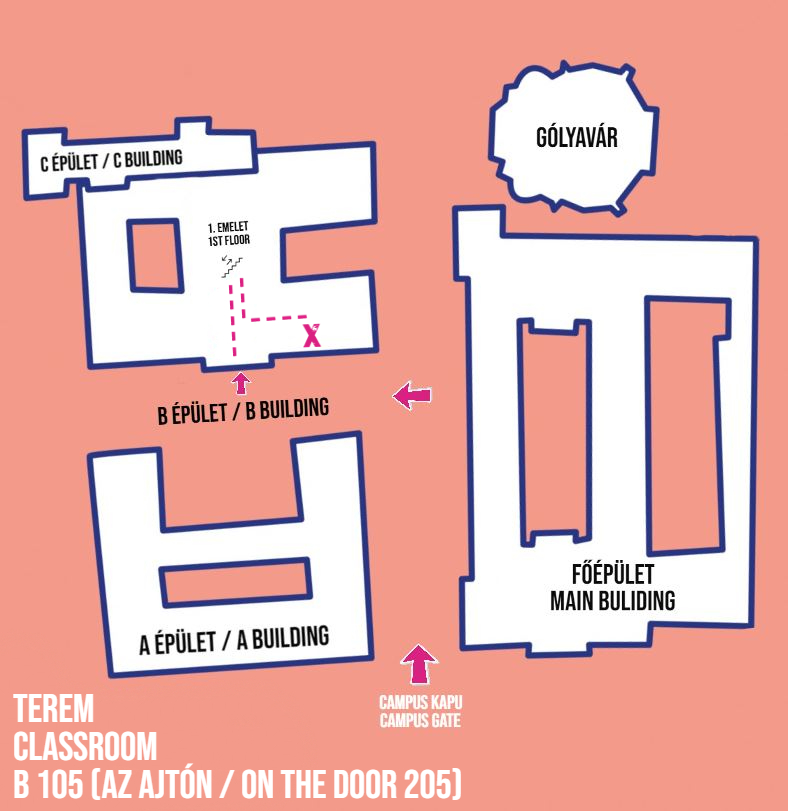
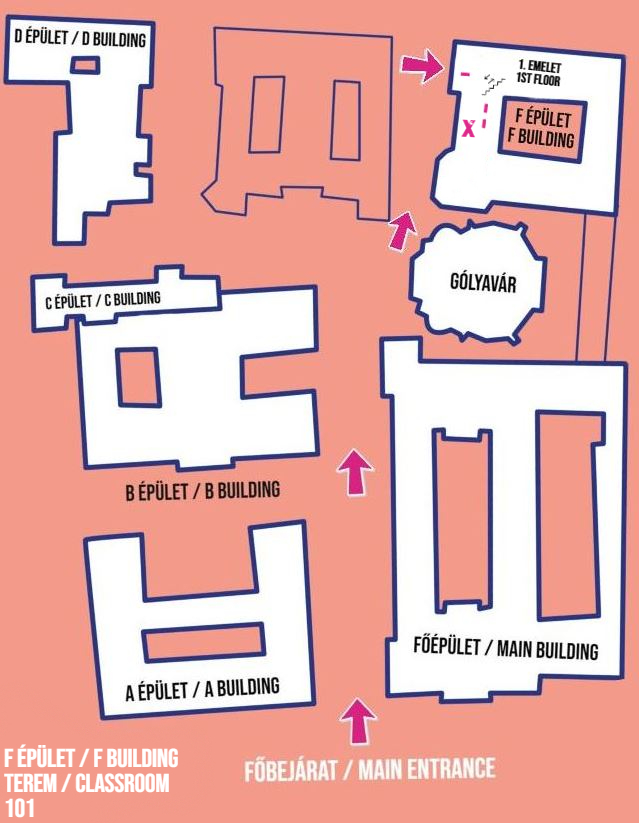
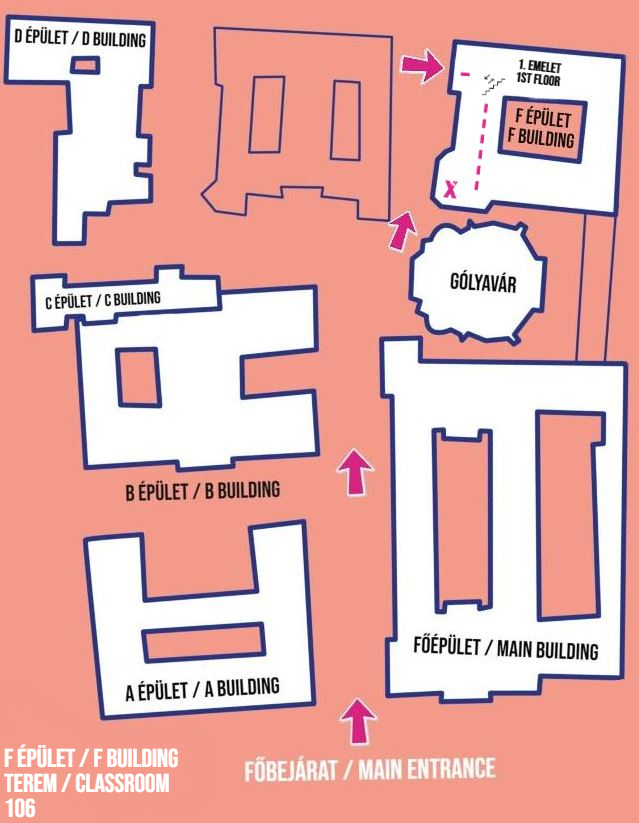
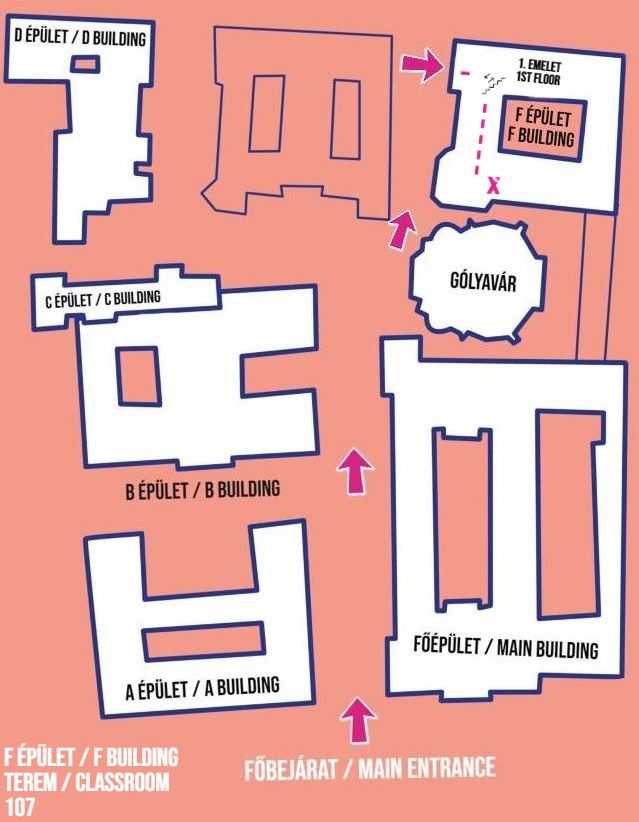
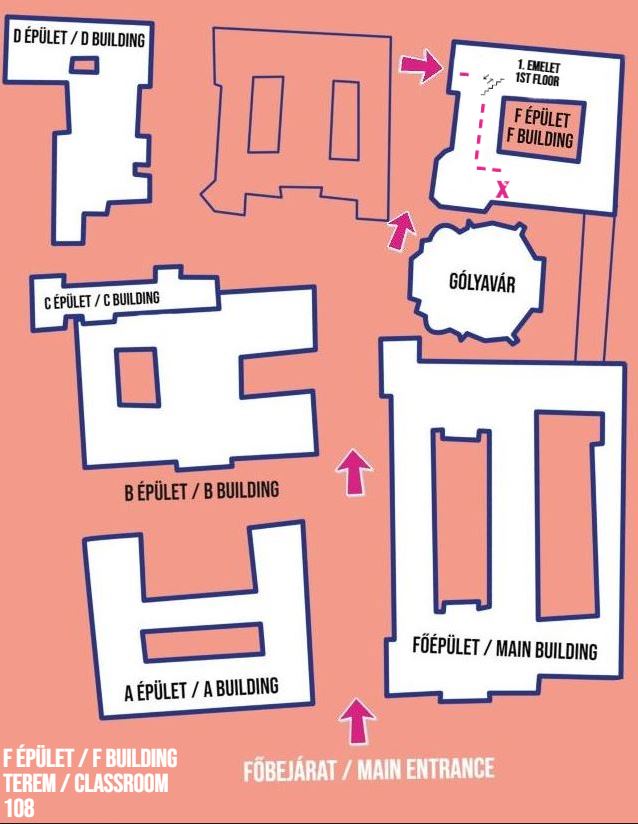
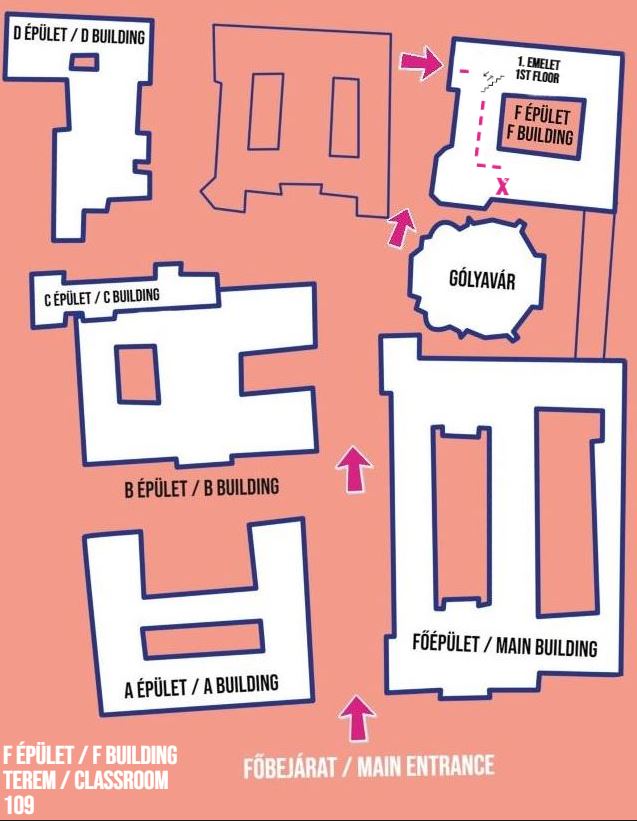
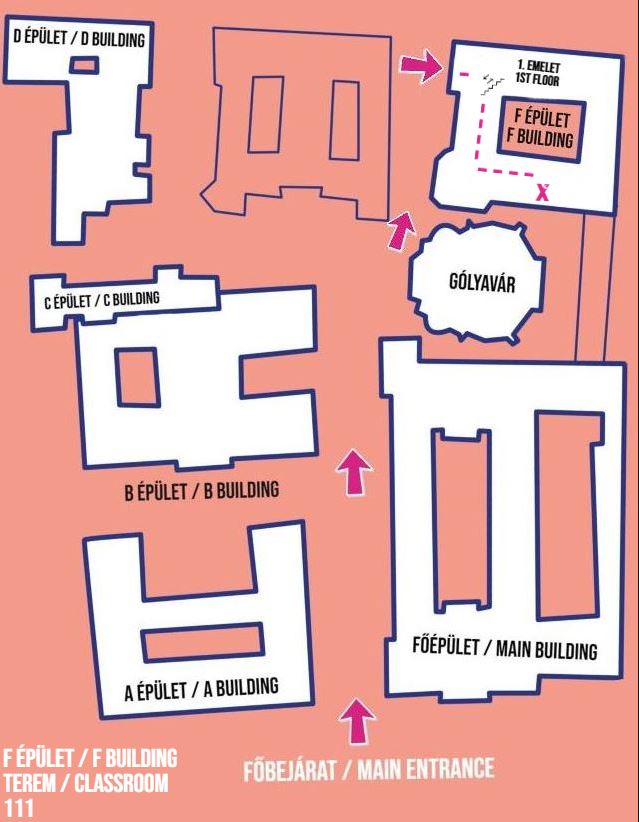
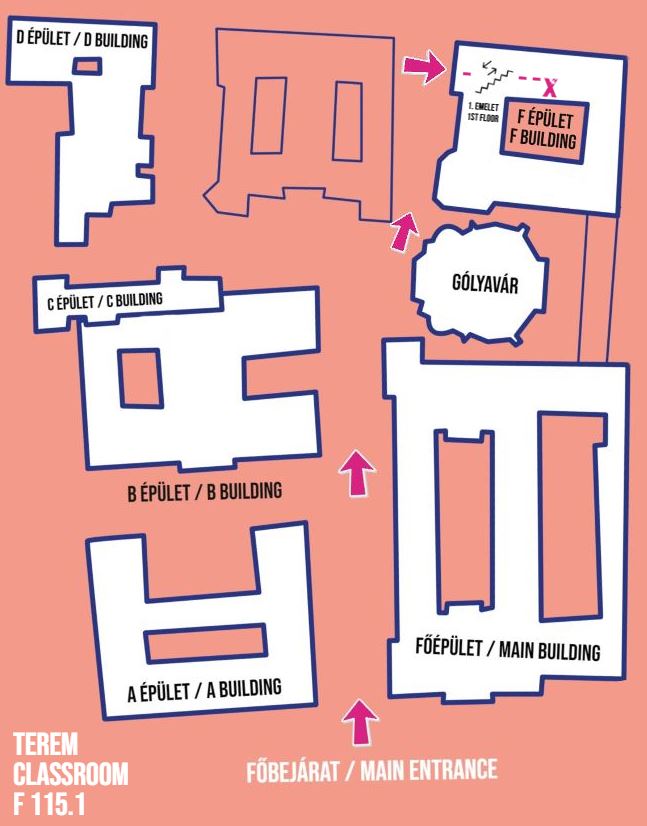
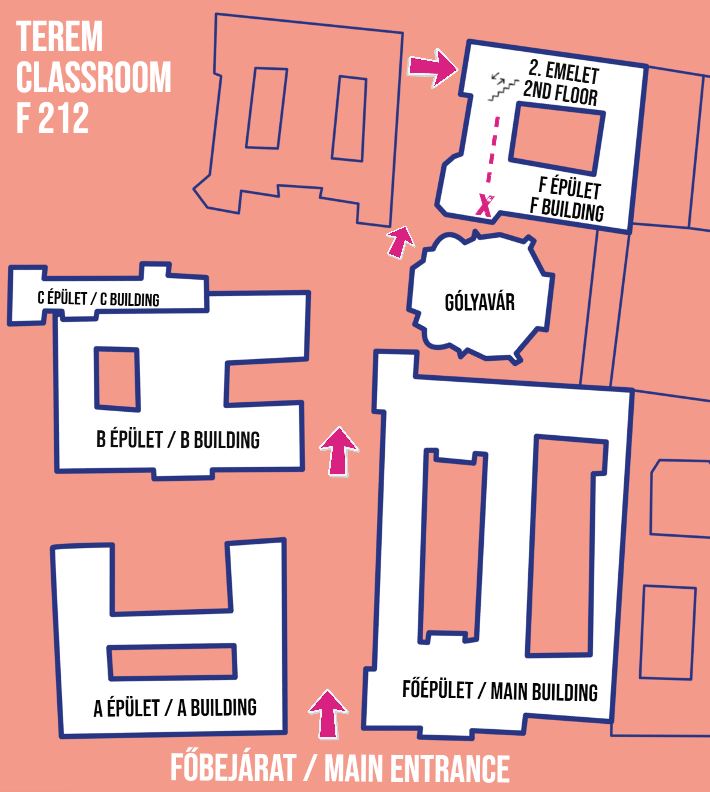
F épület / F building
- F 1 Kerényi Károly terem
- F 5 Európa-terem
- F 15/6
- F 101. – Tőkei Ferenc terem
- F 106.
- F 107.
- F 108.
- F 109.
- F 111.
- F 115.1 – Ecsedy Ildikó terem
- F 212.
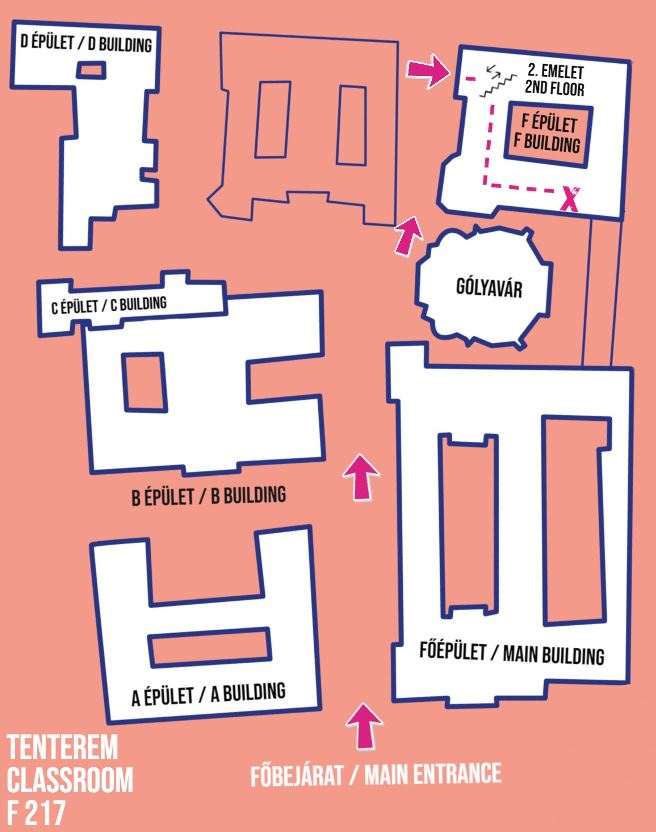
- F 217.
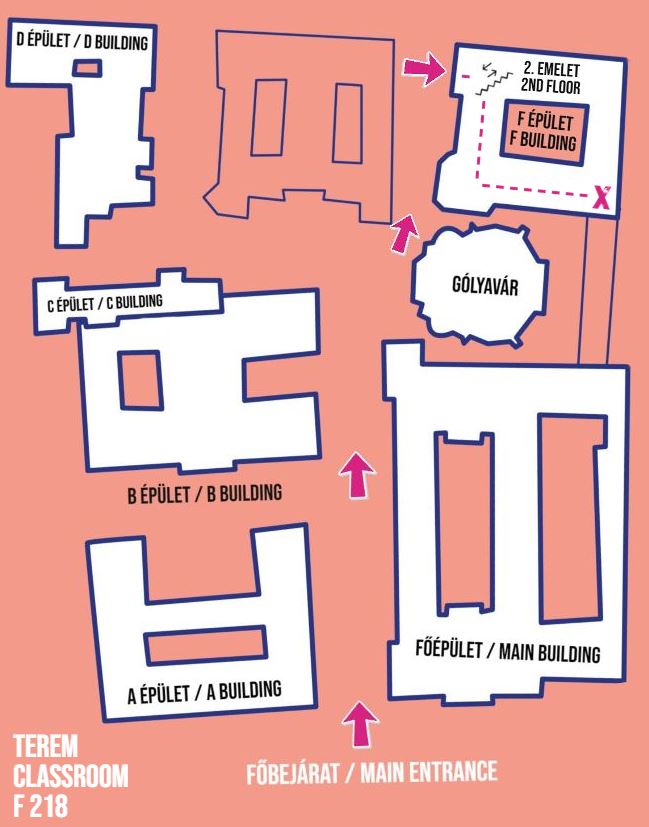
- F 218.
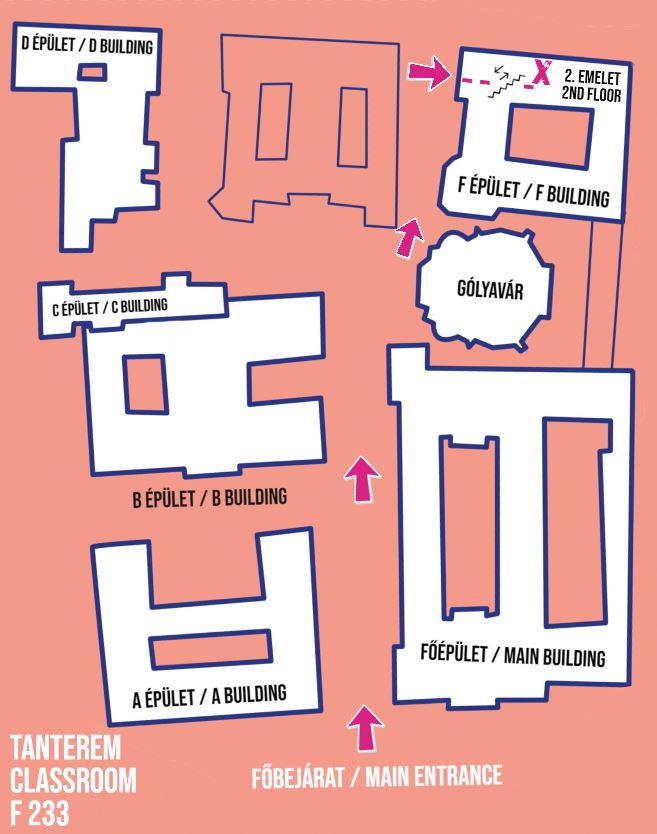
- F 233.
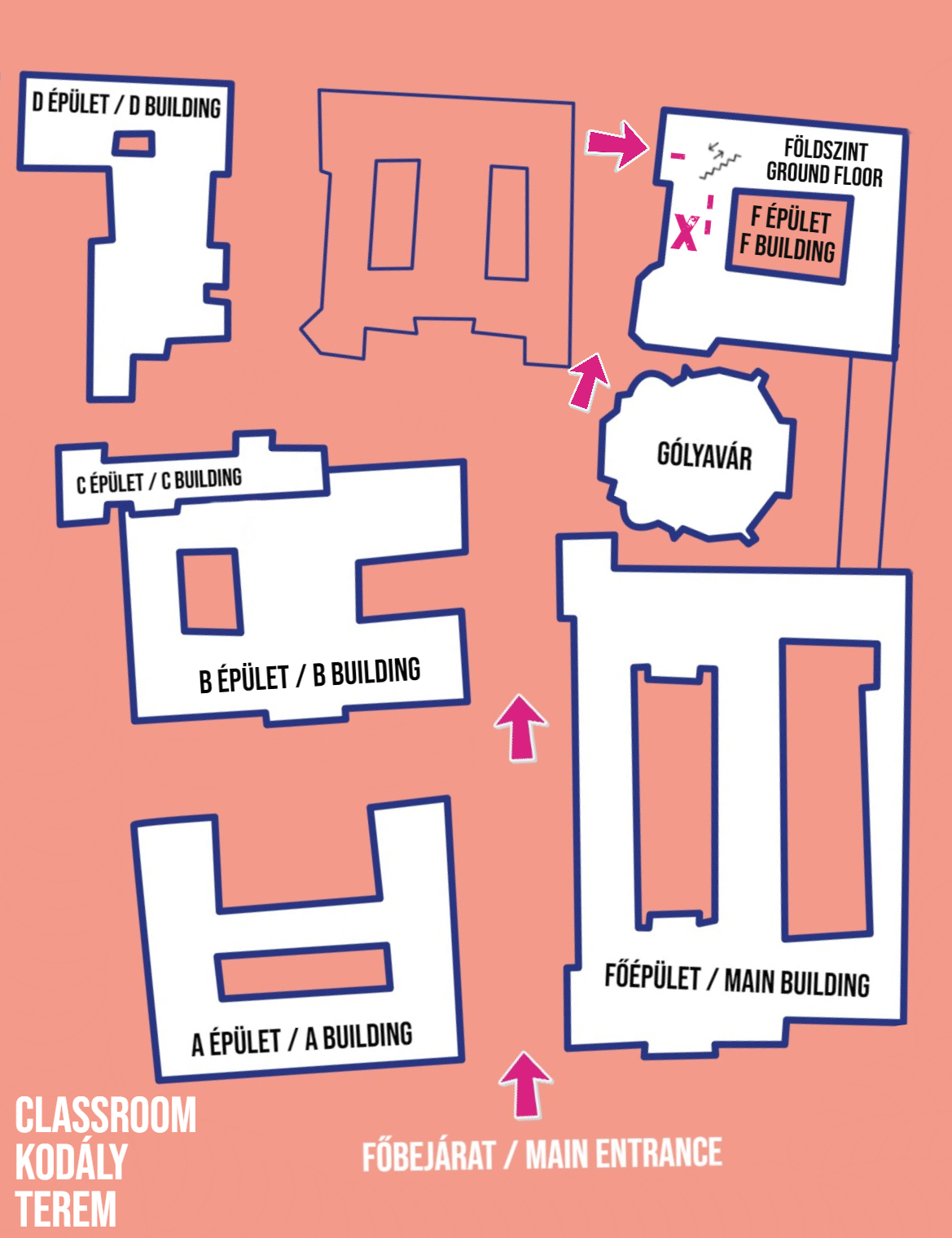
- F 25 - Kodály Zoltán kamaraterem
Gólyavár
Főépület / Main Building
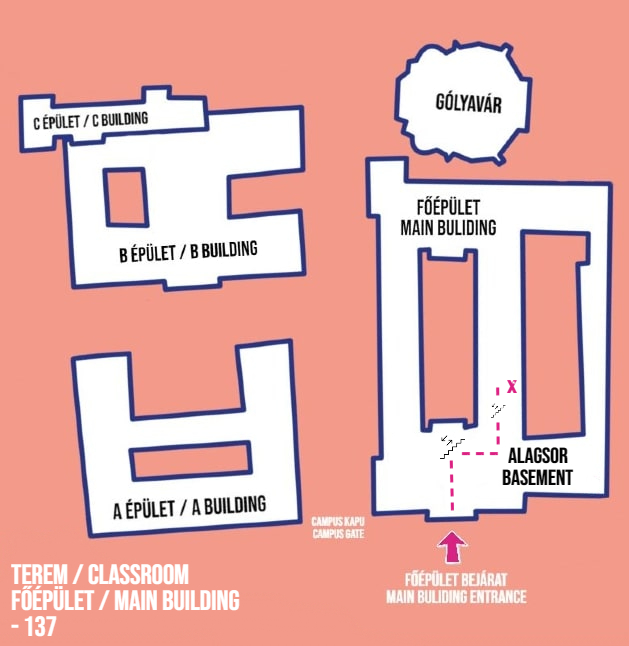
- FŐ -137.
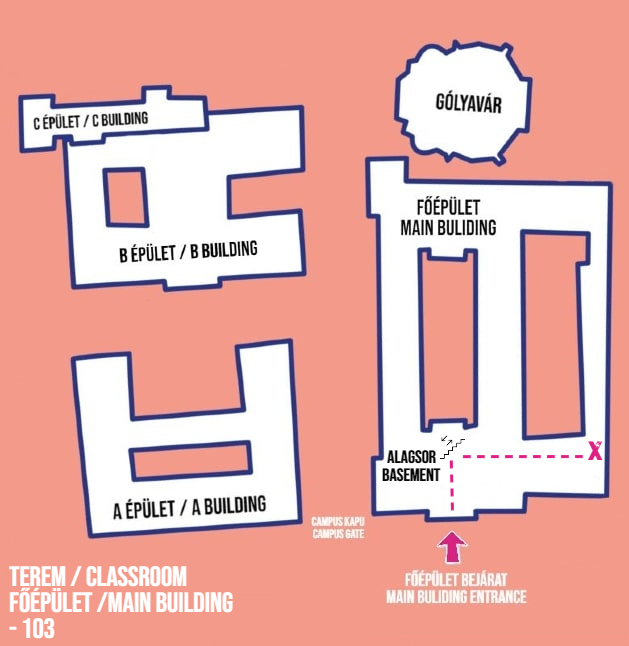
- FŐ -103.
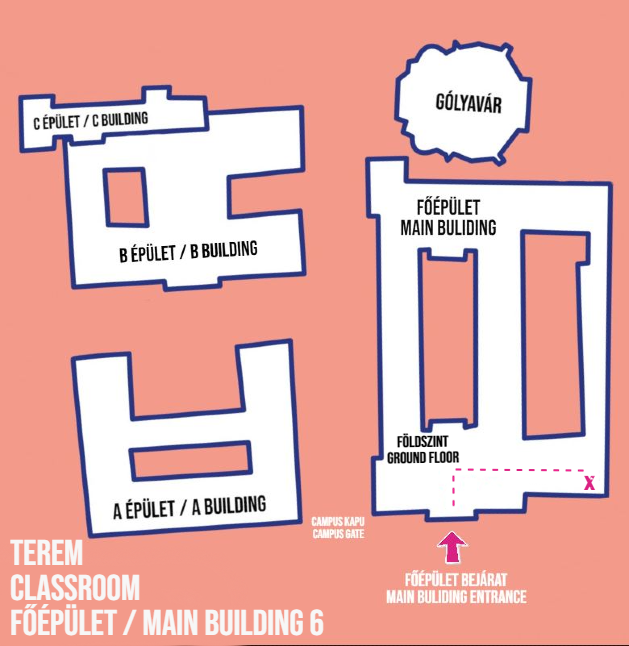
- FŐ 6.
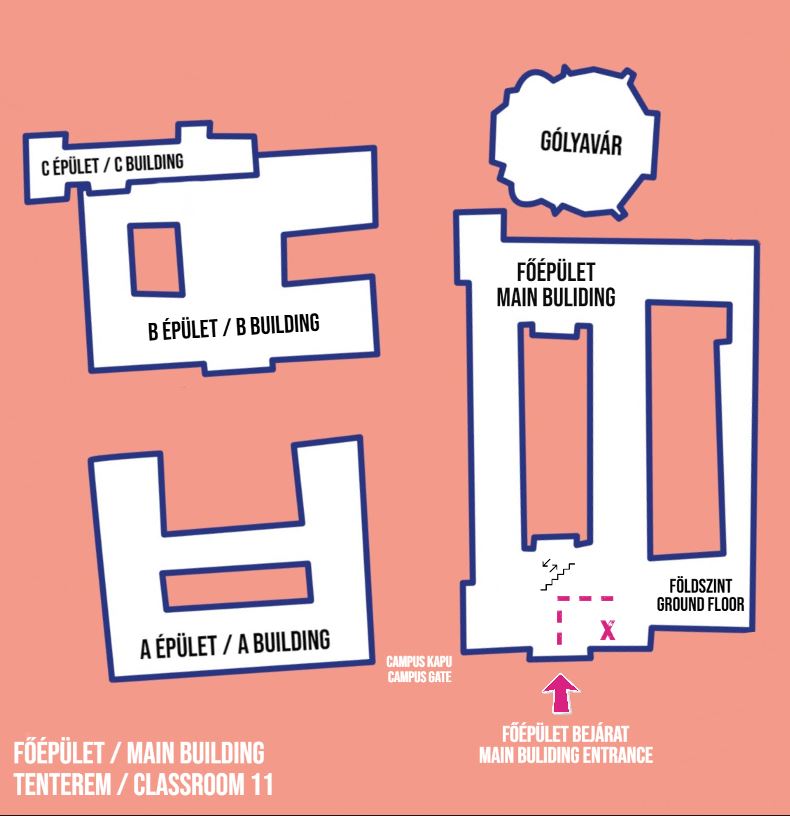
- FŐ 11.
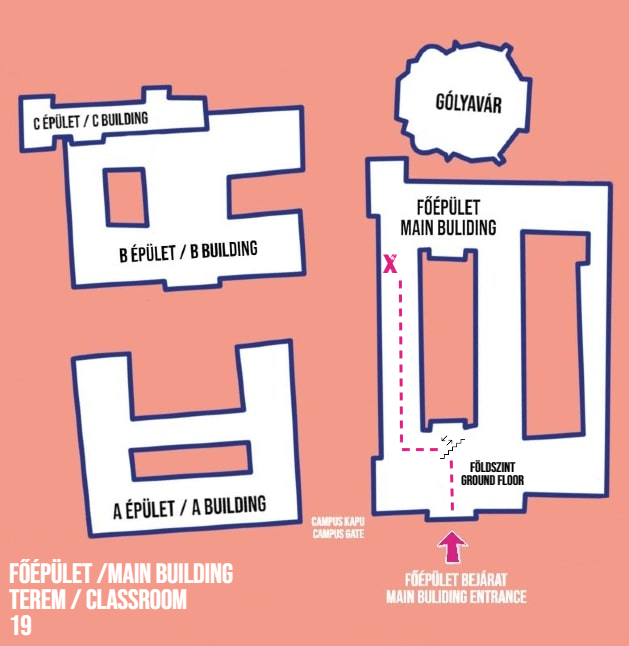
- FŐ 19.
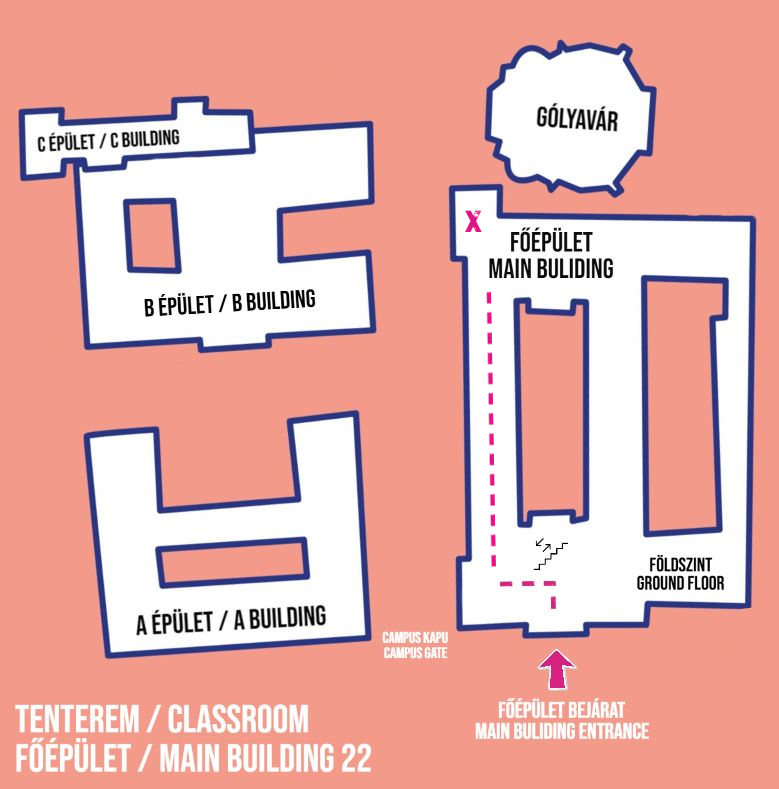
- FŐ 22.
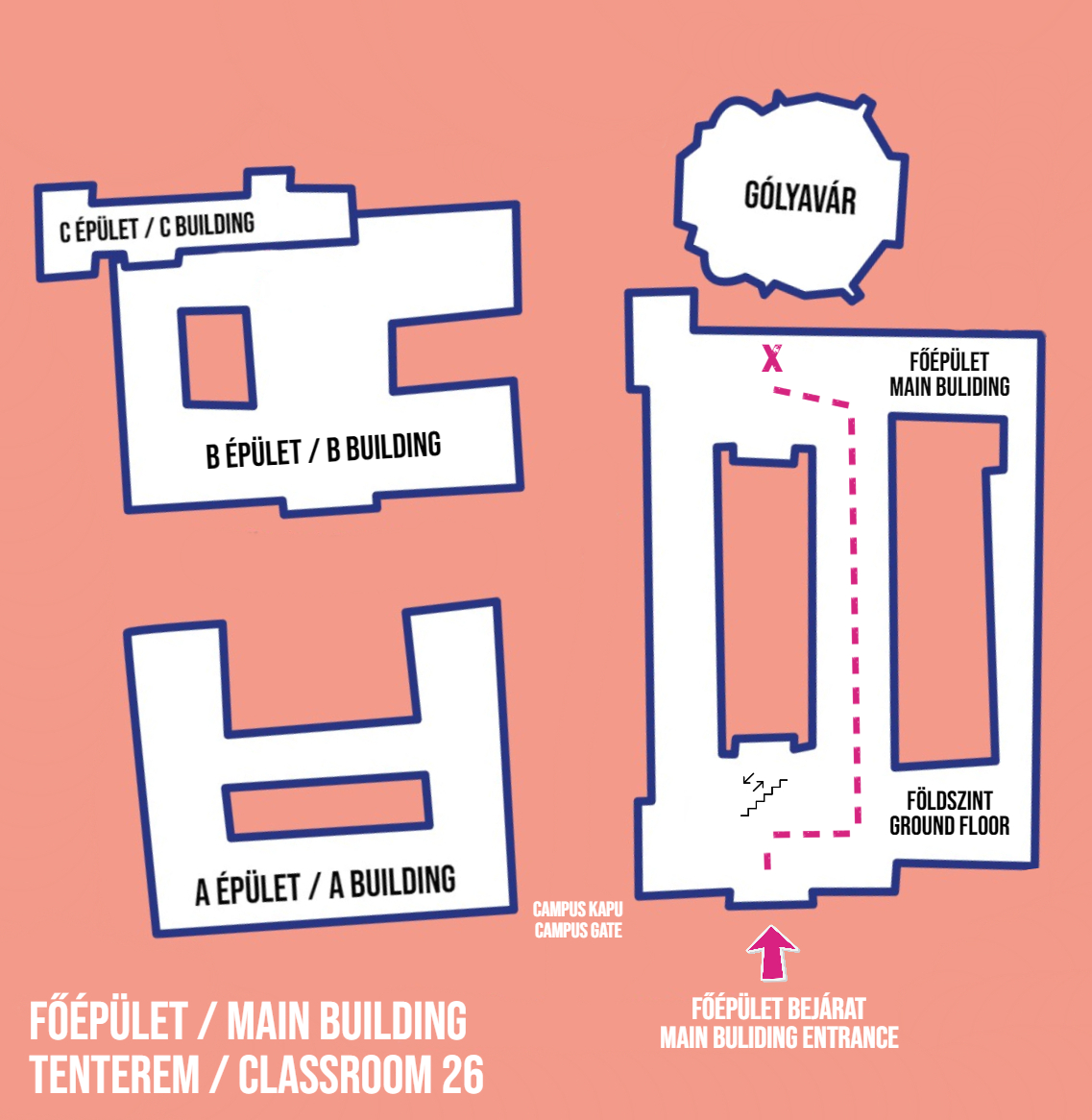
- FŐ 26.
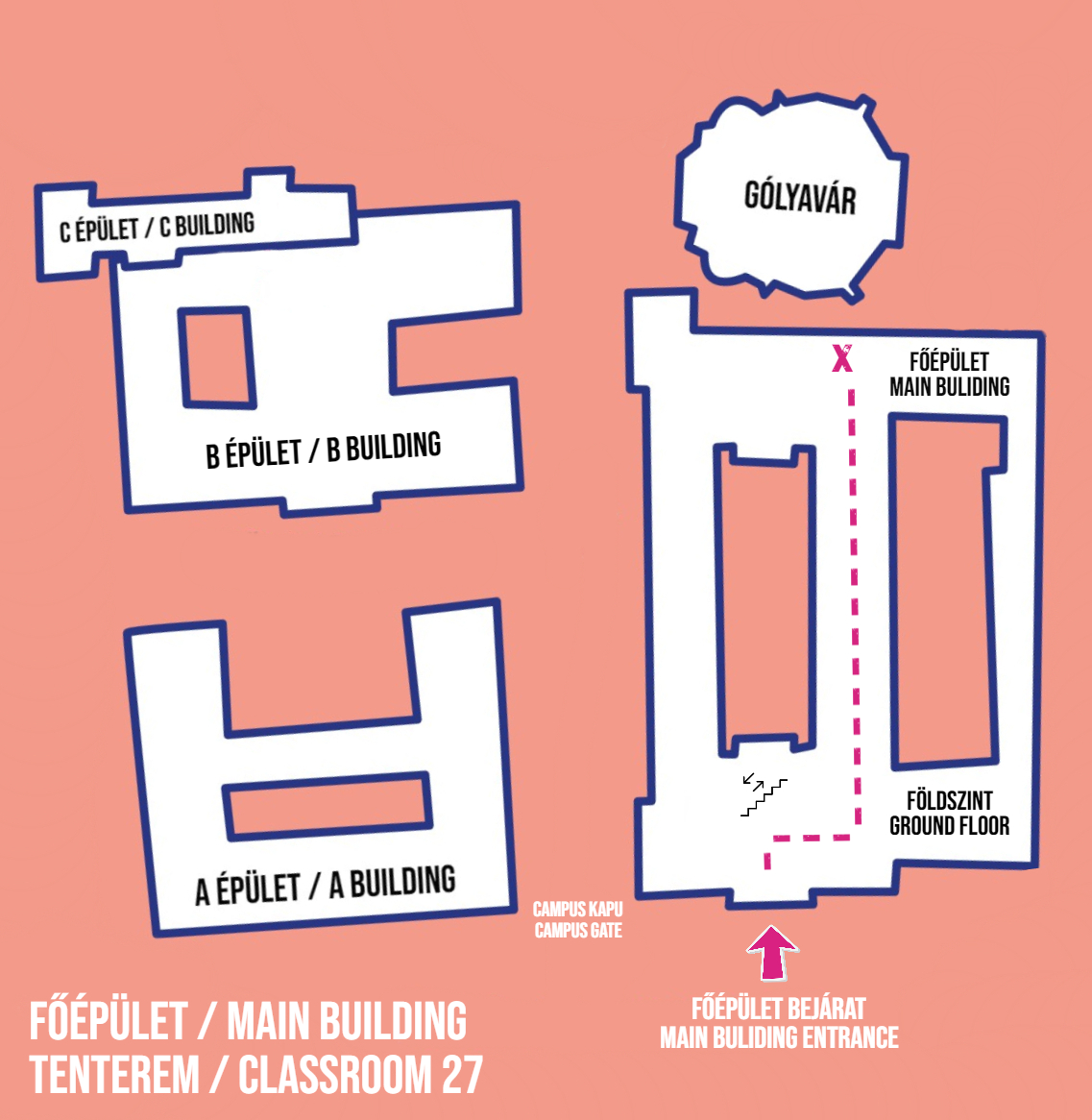
- FŐ 27.
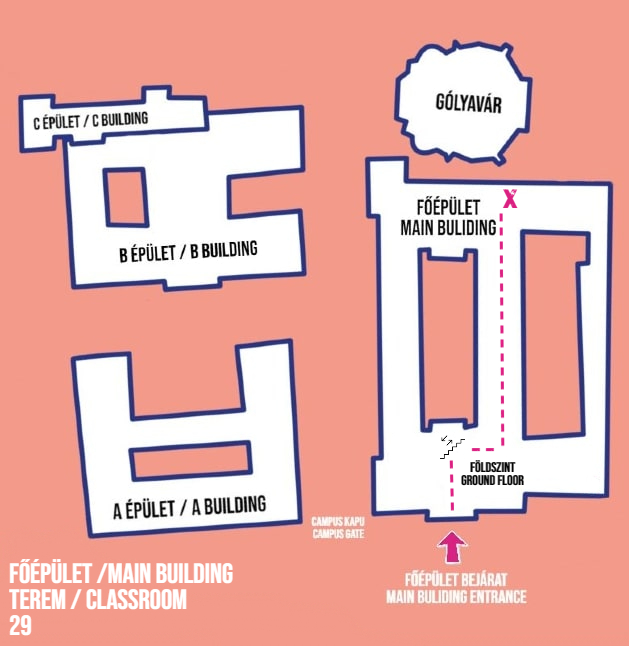
- FŐ 29.
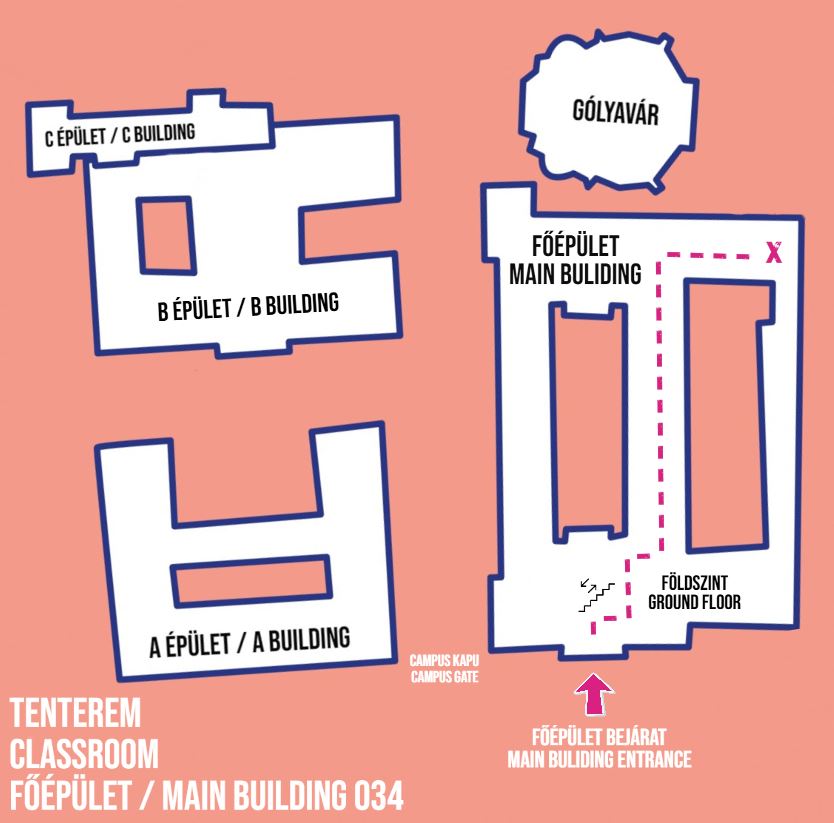
- FŐ 34. – Kovács Máté terem
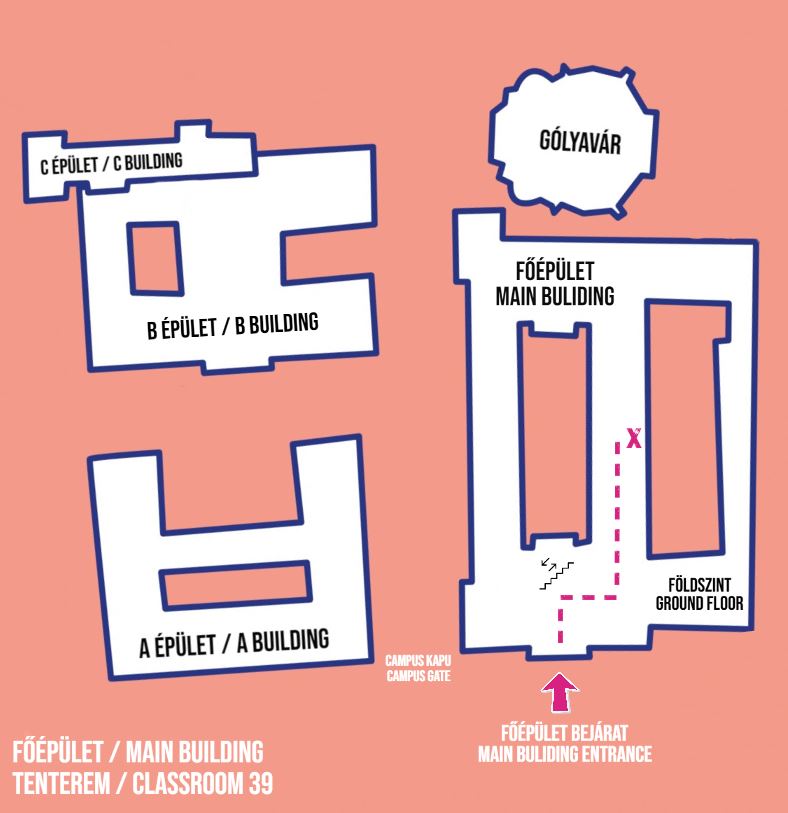
- FŐ 39. – György Péter terem
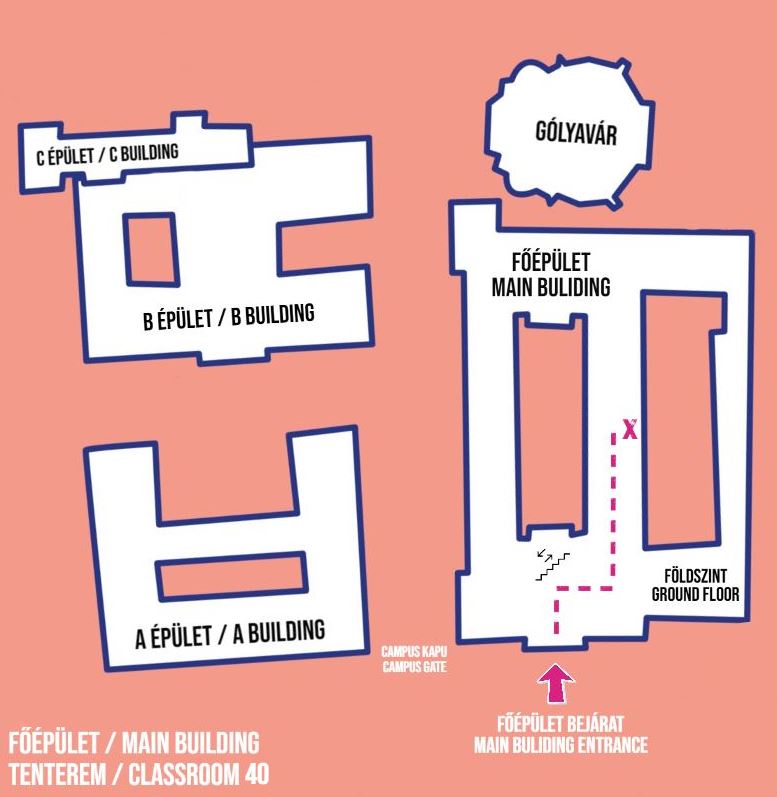
- FŐ 40.
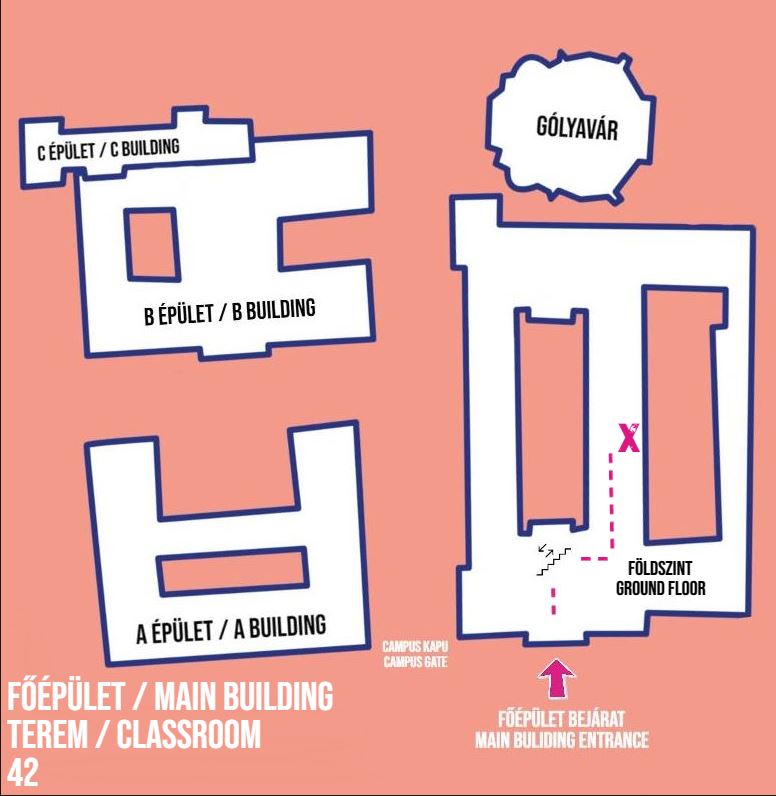
- FŐ 42. – Bacsó Béla terem
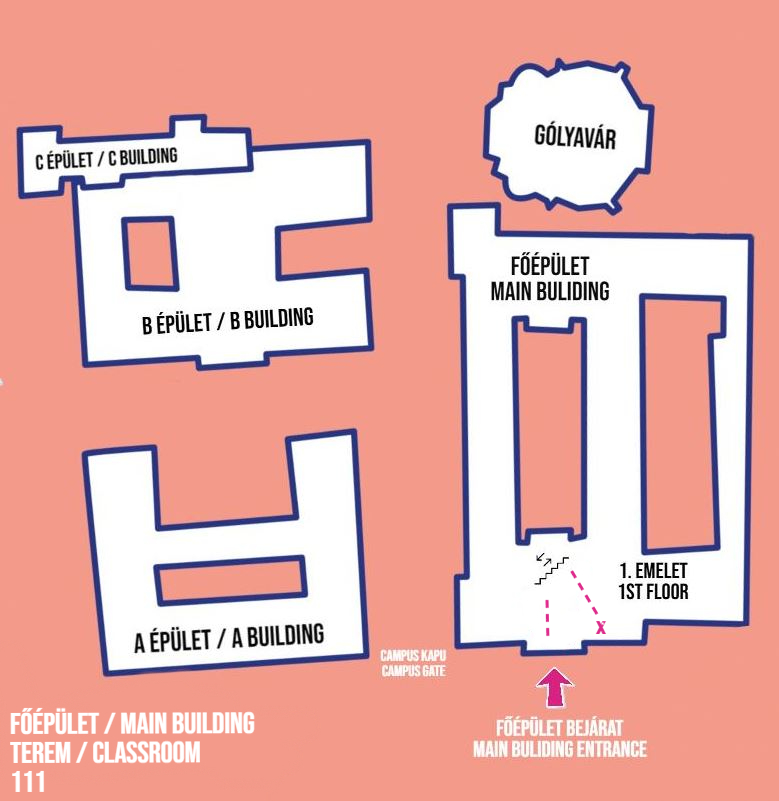
- FŐ 111.
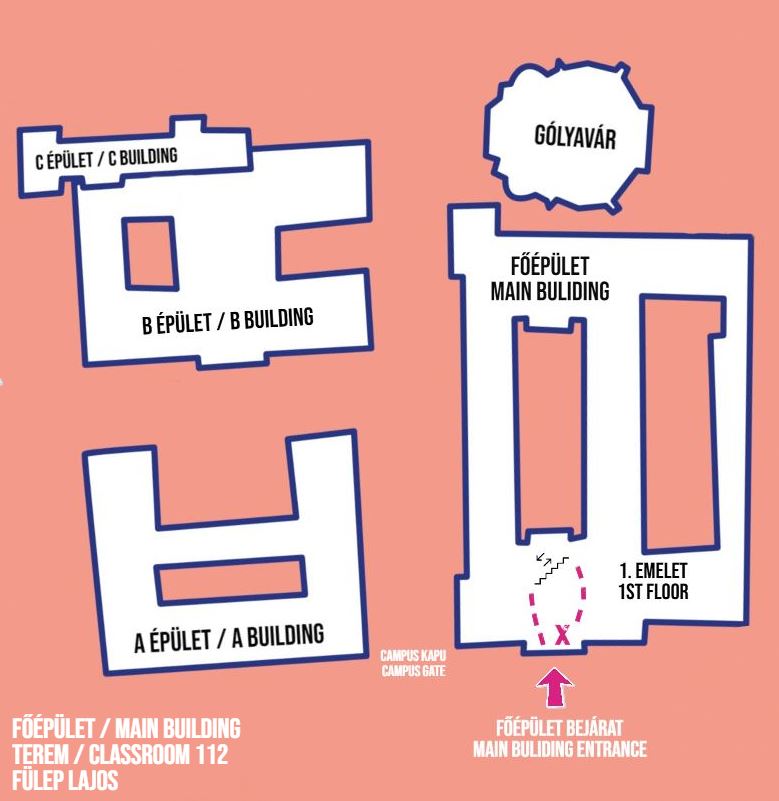
- FŐ 112. – Fülep Lajos terem
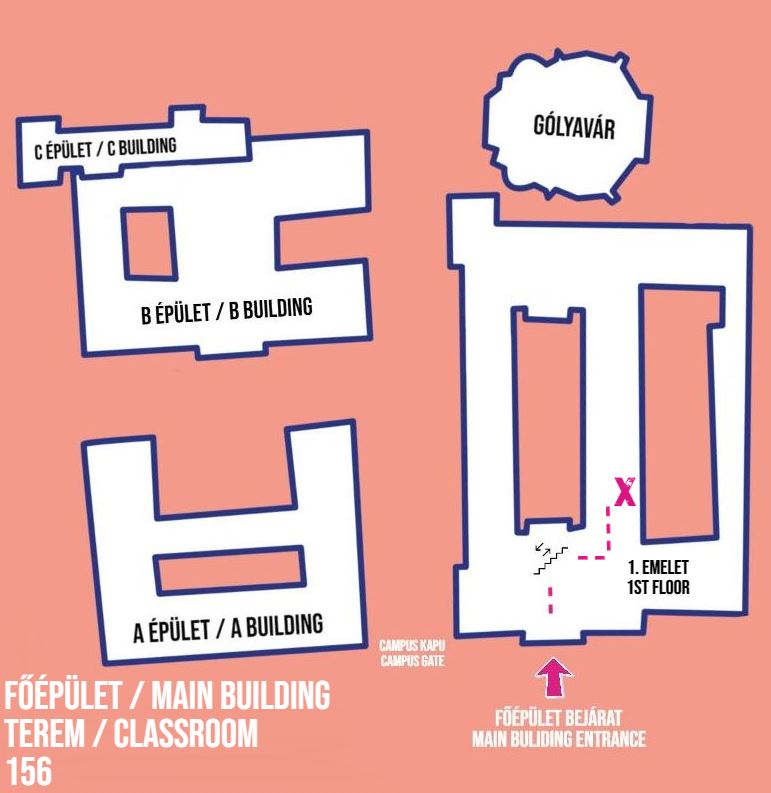
- FŐ 156.
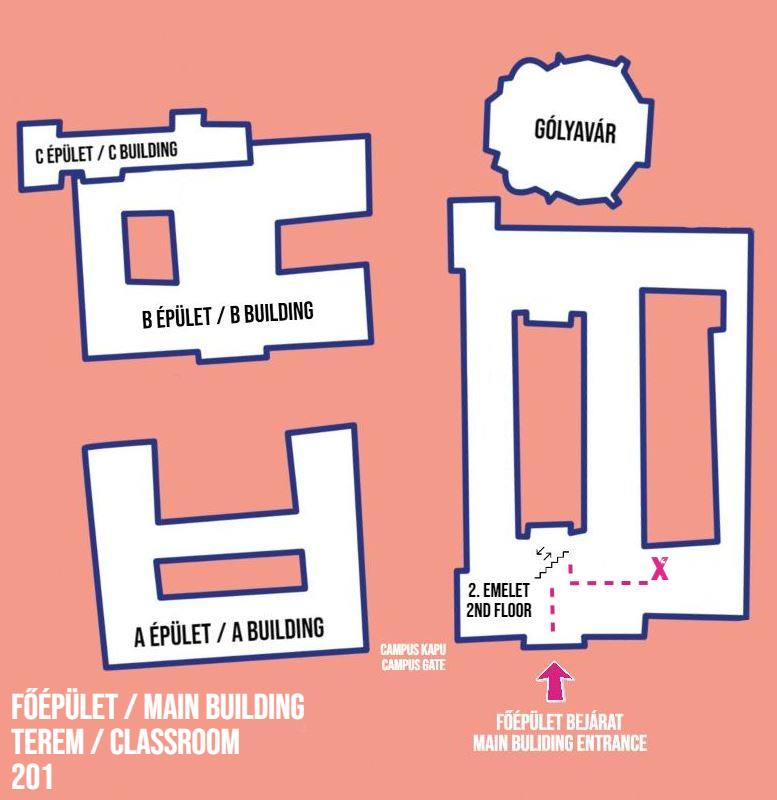
- FŐ 201.
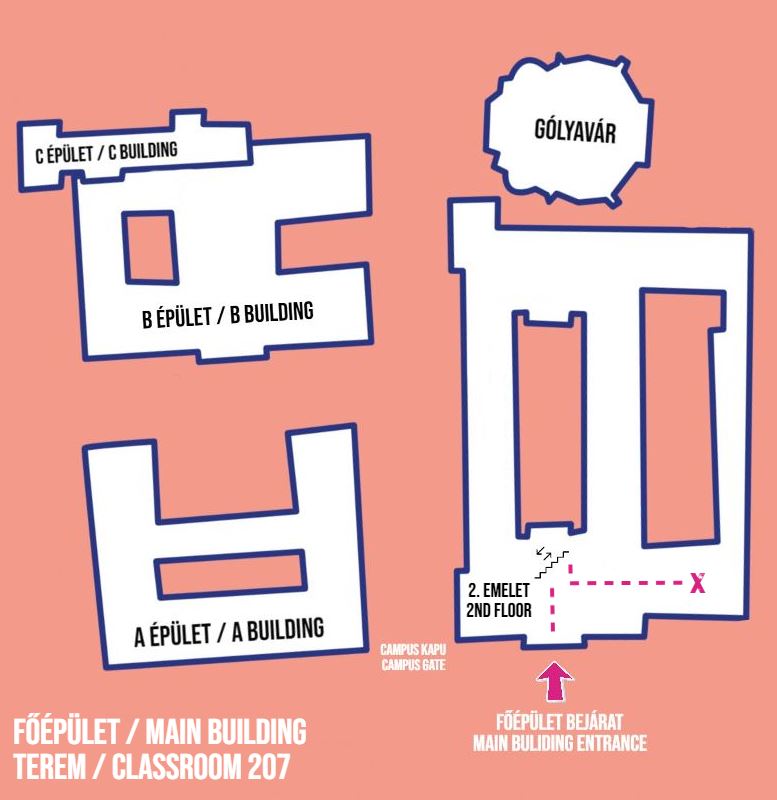
- FŐ 207.
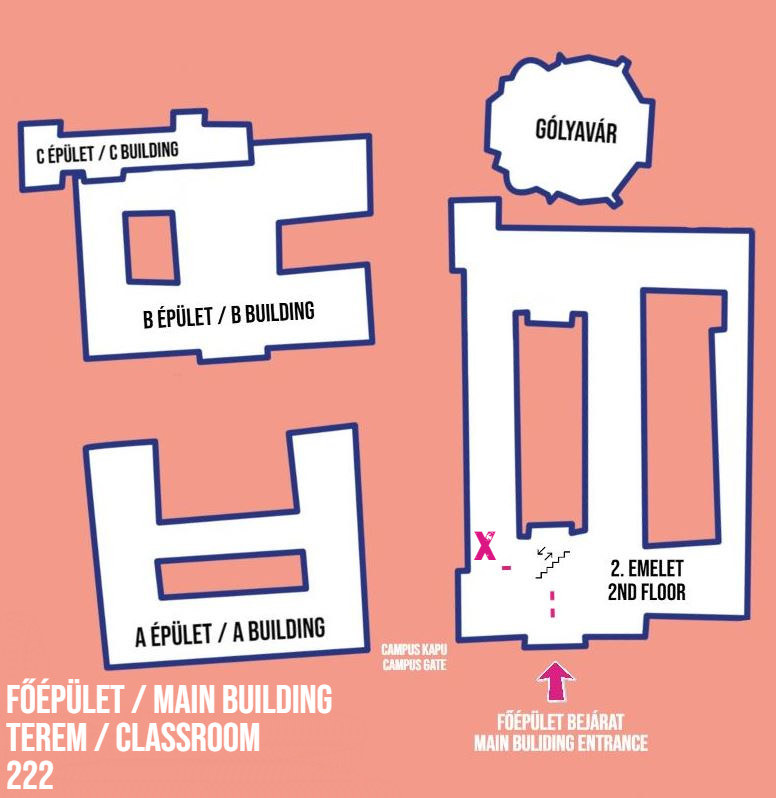
- FŐ 222.
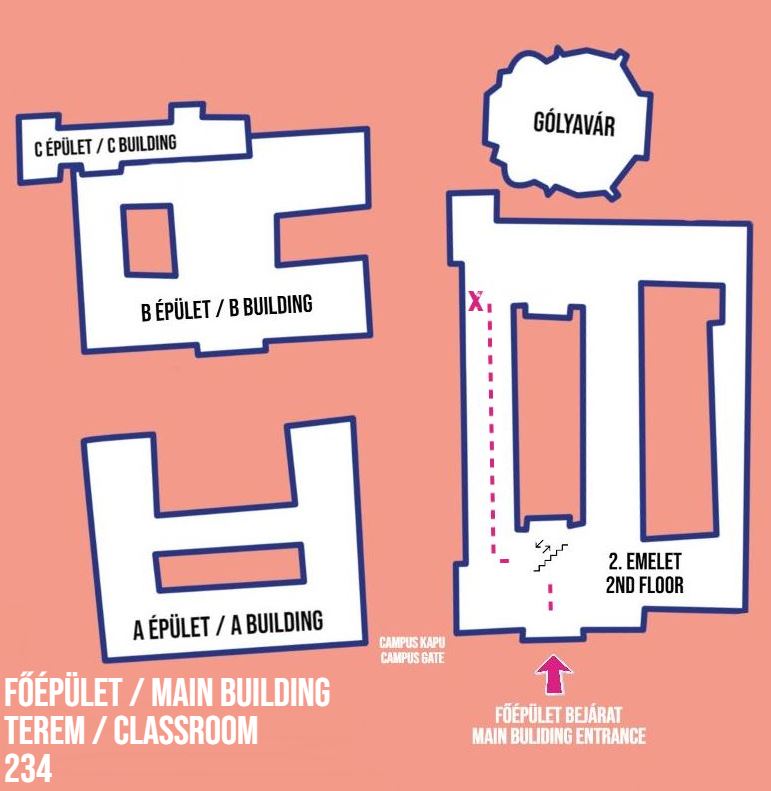
- FŐ 234.
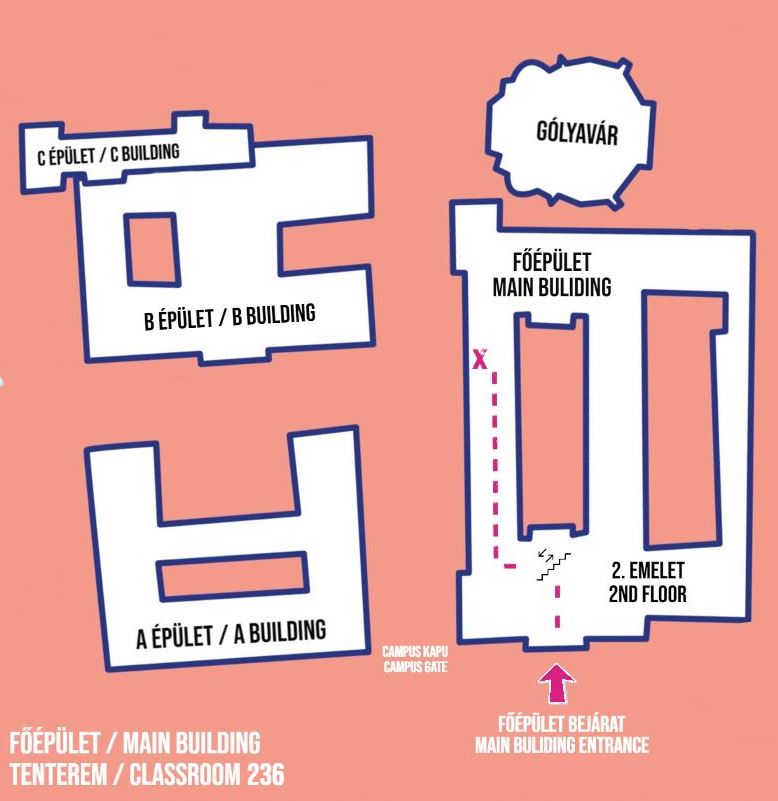
- FŐ 236. – Vaszilij Kljucsevszkij terem
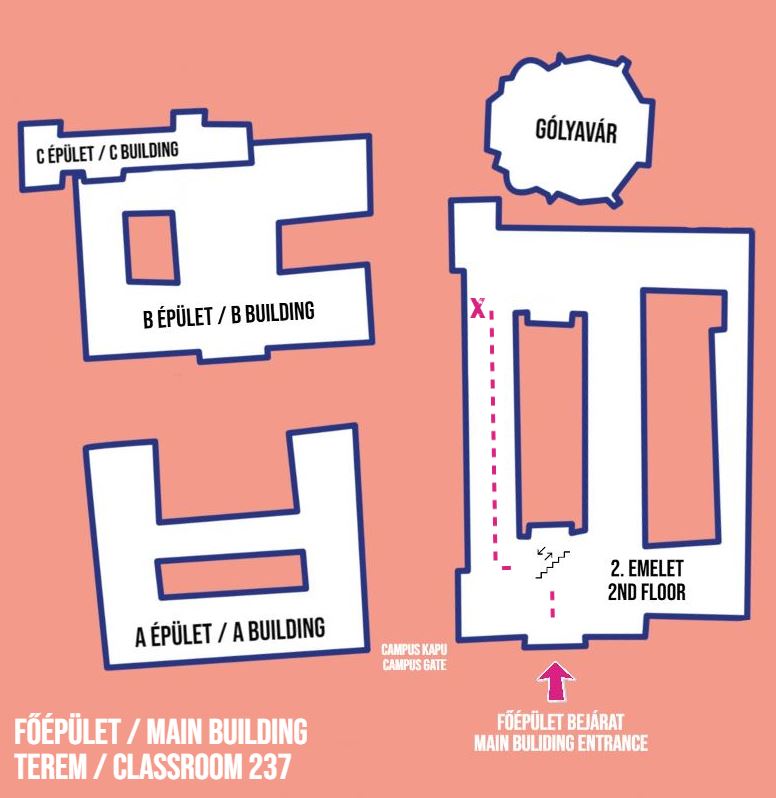
- FŐ 237.
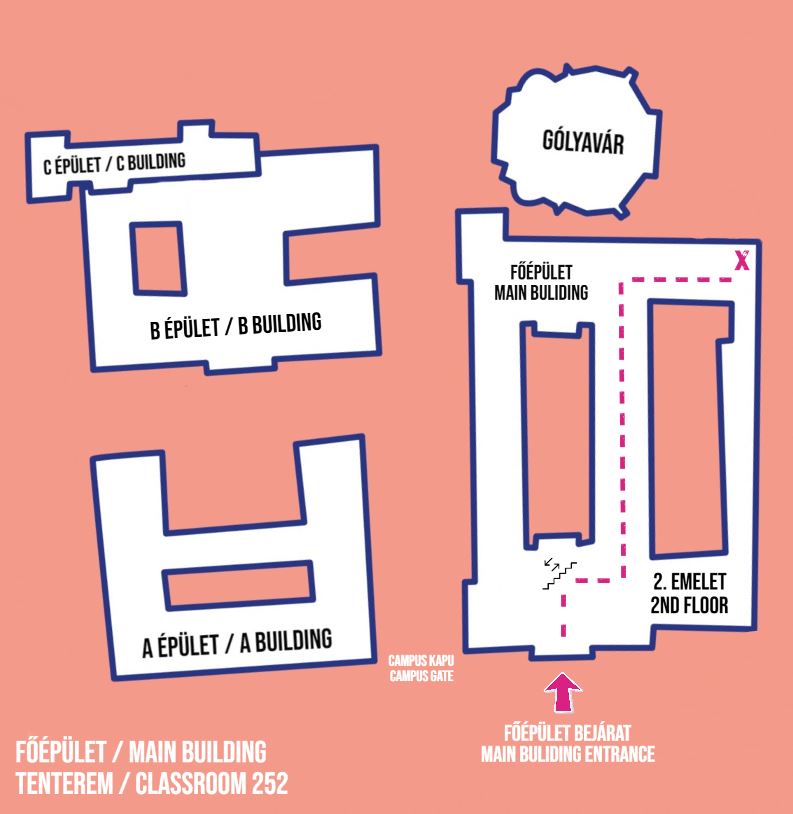
- FŐ 252. – I. Tóth Zoltán terem
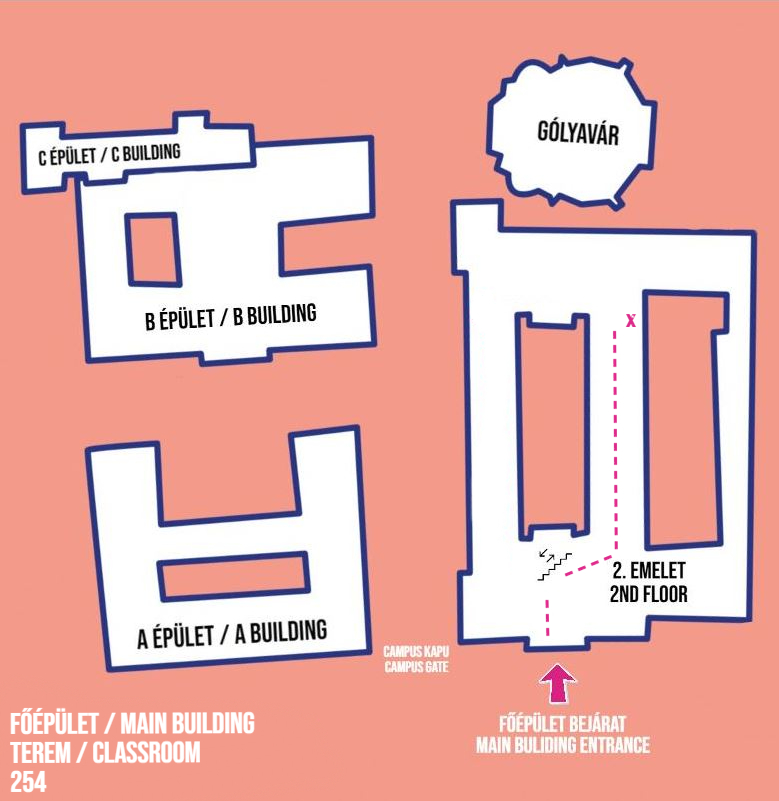
- FŐ 254.
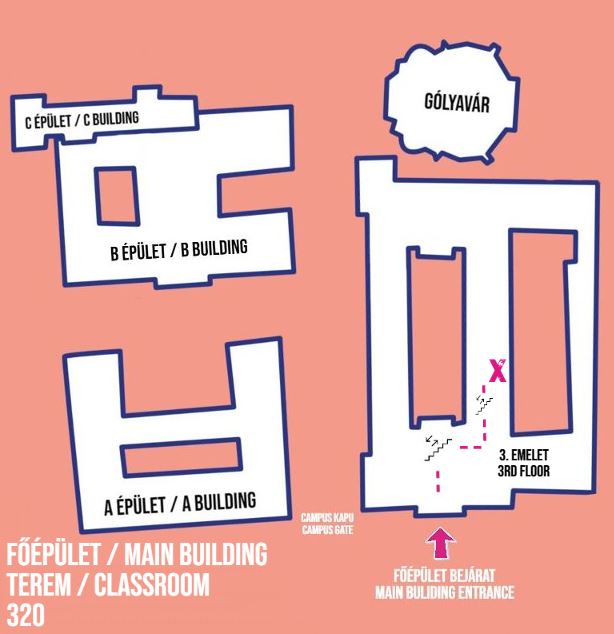
- FŐ 320.
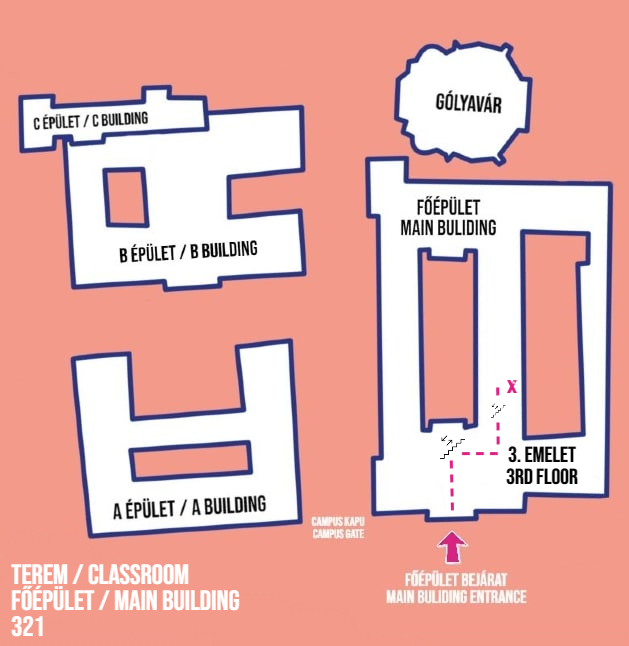
- FŐ 321.